
Preview



Description
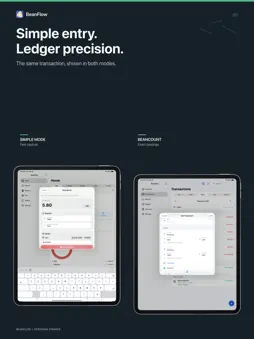
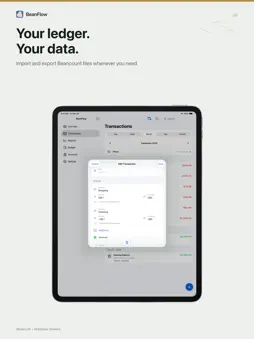
BeanFlow is a personal finance and accounting app that combines simple everyday tracking with the structure of Beancount. Whether you only want to record daily income and expenses or already use double-entry accounting to manage accounts and assets, BeanFlow gives you a flexible way to organize your financial records. Simple Mode and Beancount Mode now both support OCR import from screenshots and videos, making it easier to turn large amounts of transaction history into usable records without entering everything manually. Import transactions from screenshots and videos Have a folder full of payment screenshots? Need to capture transactions from a recorded statement or scrolling transaction list? BeanFlow can use OCR to recognize transaction information from screenshots and videos and prepare it for import. This is especially useful when you need to process historical transactions, long lists, or many records at once. OCR import works in both Simple Mode and Beancount Mode, so you can use the same faster capture workflow regardless of how you prefer to manage your finances. Track everyday money Coffee, lunch, subscriptions, shopping, bills, or a new source of income — every transaction can become part of your financial history. Record income and expenses over time and build a clearer picture of where your money goes and how your finances change. Simple Mode for everyday tracking Managing your money shouldn’t require learning accounting before recording your first expense. Simple Mode provides an approachable workflow for everyday income and expense tracking, without forcing unnecessary accounting concepts into every transaction. If you just want a clean personal ledger, you can keep things simple. Beancount Mode when you need more structure For users who want greater control over their records, Beancount Mode provides a more structured accounting workflow. Organize transactions through accounts and use double-entry accounting to maintain clearer records of income, expenses, assets, and other financial activity. Built around Beancount Already using Beancount? BeanFlow supports .bean files, allowing you to continue working with a familiar and portable data format instead of moving your financial history into a completely closed system. Import and export .bean files Your financial records should remain yours. BeanFlow supports importing and exporting Beancount files, making it easier to back up your ledger, migrate your data, and continue using it as part of your existing Beancount workflow. Offline-first and portable BeanFlow is designed with local use in mind, so your ledger doesn’t need to depend on a constant internet connection. Open data formats and portable files help you stay in control of your financial records. Simple for everyday use. Structured when you need it. Recording a cup of coffee shouldn’t feel like completing an accounting assignment. At the same time, your finance app shouldn’t become limiting when you want to organize accounts, assets, and more detailed records. From a single payment screenshot to years of financial history, BeanFlow helps you capture, organize, and keep control of your data.
What's New
Version 1.5.9 2026-09-25
Added opening balances and debts for new accounts. Improved recurring and installment transactions with review, pause, skip, and duplicate protection. Added s...Added opening balances and debts for new accounts. Improved recurring and installment transactions with review, pause, skip, and duplicate protection. Added split categories, projects, discounts, refunds, and reimbursement tracking. Expanded iCloud sync support. Improved import and export. Refined the app, widgets, Apple Watch, charts, budgets, and account experience. Technical Analysis
Package Overview Basic metadata
Bundle ID
yangerpro.evolbrain.BeanFlow2 Current Version 1.5.9
Minimum iOS 17.0
Package Size App Store Size
Package Metadata 1 / 7 version records
Detailed binary, privacy manifest, framework, and Info.plist results have not been indexed for this package yet. The verified App Store and archive metadata above remains available.
Price History (USA store)
2 recorded price change points. These are historical observations, not a guarantee of the current price.
| Recorded at | Price | Currency |
|---|---|---|
| 1.99 | USD | |
| 0.0 | USD |
Developer Information
Known Version Records
1 version record with stored package metadata • 7 known version records
Stored metadata does not guarantee a package is currently available to download.
| Details | Version / IDs | Version date | Action |
|---|---|---|---|
| 28.49 MB | v1.5.6 App Store ID: 889012889Build: 1.5.6 | 2026-09-01 17:23:57 | Get Version |
| Not archived | App Store ID: 887788250 | Unknown | Request Version |
| Not archived | App Store ID: 886638699 | Unknown | Request Version |
| Not archived | App Store ID: 882568511 | Unknown | Request Version |
| Not archived | App Store ID: 881836307 | Unknown | Request Version |
| Not archived | App Store ID: 880802913 | Unknown | Request Version |
| Not archived | App Store ID: 879738456 | Unknown | Request Version |