Preview




Description
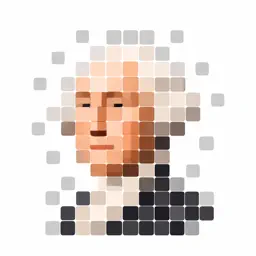
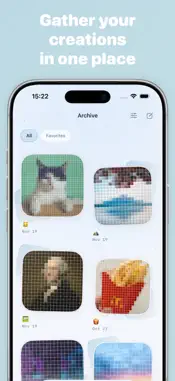
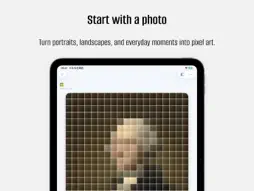
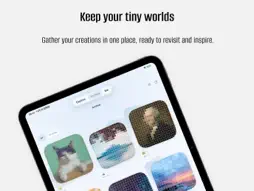
A smaller world, made from yours. Pixel Loom turns photographs into pixel compositions. Watch fragments leave the original image and come together in a new miniature, then make the result your own. EXPLORE A DIFFERENT VIEW Discover an animated gallery of portraits, landscapes, and everyday scenes. Tap a piece to explore it, or shuffle the bubbles for a new selection. START WITH A PHOTO Choose a photograph from your library or try an included sample. Editing is free, with no account required. MAKE EVERY PIXEL YOURS Adjust grid spacing, fragment size, density, miniature scale, and tile spacing. Try True Extraction, Clear Reassembly, Color Confetti, Film Grain, and Tonal Mosaic. Add canvas shapes, backgrounds, textures, and borders, with undo and redo as you create. KEEP YOUR TINY WORLDS Save creations in your local collection, browse the Archive waterfall, and revisit work through the Studio calendar and favorites. EXPORT YOUR CREATIONS Save or share the finished pixel image as PNG, or its transformation as a looping GIF. Image processing and your collection stay on your device. FREE TO CREATE. MORE WITH PRO. The free app includes all editing tools and the local collection, plus three watermark-free image exports and three animation exports. After the free image exports, you can continue exporting images with a small Pixel Loom watermark. Pixel Loom Pro unlocks unlimited watermark-free image exports and animation exports. Choose a monthly or yearly subscription, or a one-time lifetime purchase. Monthly and yearly plans renew automatically unless canceled at least 24 hours before the current period ends. Payment is charged to your Apple account at confirmation. Manage or cancel subscriptions in your Apple account settings. Restore eligible purchases in the app. Available in English and Simplified Chinese, for iPhone and iPad. Privacy Policy: https://museeum.net/pixelloom/privacy/?lang=en Terms of Use: https://museeum.net/pixelloom/terms/?lang=en Standard EULA: https://www.apple.com/legal/internet-services/itunes/dev/stdeula/
What's New
Version 2.1.1 2026-11-20
New Bead Chart: turn your piece into a real fuse-bead chart with actual bead codes (MARD / Perler / Hama / Artkal), and export a colour-by-colour list you can f...New Bead Chart: turn your piece into a real fuse-bead chart with actual bead codes (MARD / Perler / Hama / Artkal), and export a colour-by-colour list you can follow at the table. Charts follow the artwork's pixel grid exactly — one bead per tile, and dropped tiles stay empty. Adjust bead size, colour count and mapping style, and see the finished width before ironing. Free to try twice without a membership. Cleaner editor panels: removed the stray shadows between cards. Technical Analysis
Package Overview Basic metadata
Bundle ID
studio.pixelloom.app Current Version 2.1.1
Minimum iOS 17.0
Package Size App Store Size
Package Metadata 0 / 0 version records
Detailed binary, privacy manifest, framework, and Info.plist results have not been indexed for this package yet. The verified App Store and archive metadata above remains available.
Developer Information
Known Version Records
0 version records with stored package metadata
Stored metadata does not guarantee a package is currently available to download.
| Details | Version / IDs | Version date | Action |
|---|