
Preview






Description
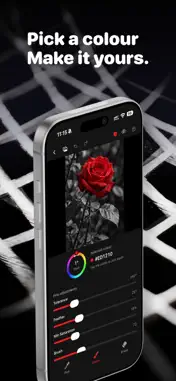
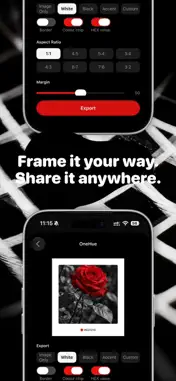
OneHue leaves a single color in your photo. Choose a photo, pick the color to keep, and turn the rest into black and white to make your subject stand out. Precise color picking • Tap to sample a color and use the magnifier to place your selection with precision. • Fine-tune color tolerance, minimum saturation, and feathering. • Use the brush and eraser to limit the effect to selected areas. Fine-tune the look • Adjust the kept color’s hue, saturation, and lightness. • Choose from monochrome, warm-tone, high-contrast, and soft presets. • Undo, redo, and compare your original photo with the result. Export your way • Choose an aspect ratio, border, background, and margins for a finished image. • Save to Photos or share with the system share sheet. Photo editing happens on your device. OneHue does not upload your photos or edits to our servers. Camera and save-to-library features request system permissions when needed. Terms of Use (EULA): https://www.apple.com/legal/internet-services/itunes/dev/stdeula/
What's New
Version 3.0.4 2026-11-12
Discover Pixel Loom from My Space and find more inspiration for creating pixel art. Technical Analysis
Package Overview Basic metadata
Bundle ID
com.cloudhao.OneHue Current Version 3.0.4
Minimum iOS 18.0
Package Size App Store Size
Package Metadata 0 / 0 version records
Detailed binary, privacy manifest, framework, and Info.plist results have not been indexed for this package yet. The verified App Store and archive metadata above remains available.
Developer Information
Known Version Records
0 version records with stored package metadata
Stored metadata does not guarantee a package is currently available to download.
| Details | Version / IDs | Version date | Action |
|---|