Preview




Description
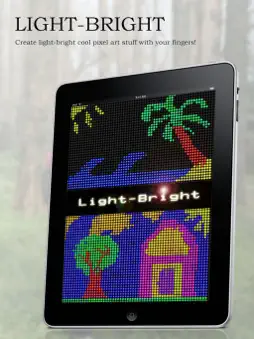
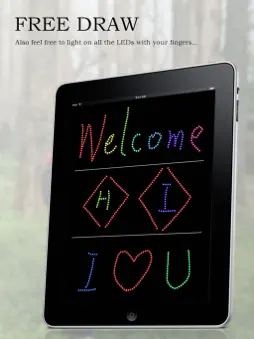
This app enables you to light up LEDs with your fingers and share them with your friends and family... There are so many painting programs in the PC or mobile world, but do you ever think drawing a picture using LED lights? Here is a good example which you may try to experience. With this small application, you can draw every kinds of pictures, such as text based or ad painting board like ones... After finishing the design, you can save your creation into the photo album by clicking the action button and share it with your friends... [KEY FEATURES] * draw with LED * colorful LED (numerous colors) * random colors * easy eraser * save project to photo album * shake to clear paint board * full screen paint board * auto orientation * share via Sina Weibo * Grid-Draw mode In the Grid-Draw mode, the LEDs are stuck in place, as in restricted to perfectly aligned rows and lines... that way you can create some cool pixel art stuff and it would be easier for precise drawing. * Import Photos from the Album Import photos from your Photo Album and generates light based pictures in one second. [INSTRUCTIONS] 1. Launch the application by clicking the LED Paint icon. 2. Bottom side panel is the toolbar. Push and slide on the color panel to change the color, you can see the selected LED on the left. 3. Click or drag your finger on the area outside of the toolbar to start design. 4. Click the LED in front of the color panel to switch modes (free-draw or grid-draw). 5. The toolbar will automatically disappear to make fullscreen. Click the 'i' icon to restore the toolbar. 6. Click the Eraser icon in front of the color panel to switch eraser mode (draw or eraser). 7. After finishing the design, click the Action button on the bottom right corner to save your creation. Select 'Clear Painting Board' to clear current and restart the design. 8. Click 'Import from Photo Album' to import pictures to the design area. 9. Shaking the iPhone/iPod may also clear the paiting board. 10. Place to landscape orientation to start landscape design. [Enjoy!] Finally, we really hope you enjoy this application. This are several updates for this program although, many exciting features will be added soon in the coming versions. Please give us a positive review or good rating if you feel this application useful. That will be definitely helpful to improve the application and will be greatly appreciated! * If you have any questions, comments, or suggestions, please contact us by emailing to: [email protected] *
What's New
Version 4.1.3 2017-10-18
• Fixes the compatibility issue. Technical Analysis
Package Overview Basic metadata
Bundle ID
com.fox.ledpaint Current Version 4.1.3
Minimum iOS 8.0
Package Size Latest Recorded Package Size
Package Metadata 1 / 19 version records
4.8 / 5.0 (8 ratings)
Detailed binary, privacy manifest, framework, and Info.plist results have not been indexed for this package yet. The verified App Store and archive metadata above remains available.
Known Version Records
1 version record with stored package metadata • 19 known version records
Stored metadata does not guarantee a package is currently available to download.
| Details | Version / IDs | Version date | Action |
|---|---|---|---|
 8.52 MB | v4.1.3 App Store ID: 841384552Build: 114 | 2021-04-14 20:35:10 | Get Version |
| Not archived | App Store ID: 822485020 | Unknown | Request Version |
| Not archived | App Store ID: 578154869 | Unknown | Request Version |
| Not archived | App Store ID: 494332635 | Unknown | Request Version |
| Not archived | App Store ID: 470862631 | Unknown | Request Version |
| Not archived | App Store ID: 80853472 | Unknown | Request Version |
| Not archived | App Store ID: 15577573 | Unknown | Request Version |
| Not archived | App Store ID: 14748113 | Unknown | Request Version |
| Not archived | App Store ID: 7234845 | Unknown | Request Version |
| Not archived | App Store ID: 5129330 | Unknown | Request Version |
| Not archived | App Store ID: 4500777 | Unknown | Request Version |
| Not archived | App Store ID: 3527667 | Unknown | Request Version |
| Not archived | App Store ID: 3454816 | Unknown | Request Version |
| Not archived | App Store ID: 3291390 | Unknown | Request Version |
| Not archived | App Store ID: 3015944 | Unknown | Request Version |
| Not archived | App Store ID: 3004922 | Unknown | Request Version |
| Not archived | App Store ID: 2971751 | Unknown | Request Version |
| Not archived | App Store ID: 2089073 | Unknown | Request Version |
| Not archived | App Store ID: 2031661 | Unknown | Request Version |