Preview


Description
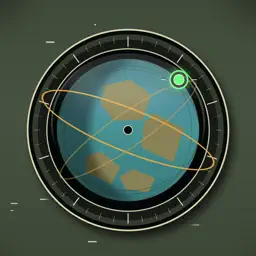
Where is the ISS now? When will your next satellite pass begin? SatellitePlus brings a 3D Earth, polar radar and pass predictions together in a tactile, metal-and-glass observation console. FIND YOUR SATELLITE Rotate Earth, select an orbit, or search by satellite name and NORAD ID. Filter by group, country or orbit type. Keep a followed list so your favorite targets are easy to find again. PLAN YOUR NEXT PASS Check direction, elevation and distance on the radar. The pass dossier brings together rise, peak and set times, maximum elevation and orbit-data age. One active local reminder is included free. Following a satellite does not turn on notifications. TAKE YOUR TARGETS WITH YOU In-app following and phone console controls are free. Pro is a one-time purchase for Home Screen widgets, Apple Watch, and Dynamic Island with its Lock Screen Live Activity. No subscription. Restore your purchase from the in-app store. On Apple Watch, view your followed list and a wrist-aligned polar trajectory. Sync with iPhone to store the next 48 hours of trajectories locally, including positions below the horizon. The cache works offline within its saved period and needs a new sync to refresh. Start an orbit session yourself to see it on the Lock Screen and, on supported iPhones, Dynamic Island. System update timing applies; these surfaces are not continuous background tracking. READY FOR EXPLORATION No app account is required. Location access is optional; without it, a default observer is used. A bundled catalog and local cache keep basic exploration available when a network update is unavailable. iPad gives your instruments more room in portrait and landscape. Predictions use public orbital data. A pass above the horizon does not guarantee naked-eye visibility: illumination, weather, obstacles and data age matter. SatellitePlus is for personal observation and learning, not navigation or safety-critical use. PLAN, LOOK AND LISTEN Plan geometric passes or optical visibility windows at a manual or GPS observing site. Sky guidance shows azimuth, elevation and calibrated compass direction, with an optional camera backdrop; it does not detect satellites in images. Request Apple Weather cloud and precipitation forecasts when needed. Checking weather sends the selected coordinates to Apple. Browse Starlink groups by launch designator. Explore attributed SatNOGS amateur-radio transmitter references, modes, frequencies and Doppler estimates. Reception needs compatible radio equipment; listed transmitters are not guaranteed active. Optional SSTV app links and ARISS references help you explore scheduled events. Add the selected pass to Calendar or share it, with precise coordinates omitted by default. Lite plans one day ahead and saves one observing site. The existing lifetime Pro unlock adds 3/7-day planning, multiple saved sites and elevation/twilight filters, alongside widgets, Apple Watch and Live Activities.
What's New
Version 1.2.0 2026-10-29
New Observation Console: optical visibility windows, saved observing sites, sky direction guidance and on-demand Apple Weather cloud forecasts. Explore Starlink... Technical Analysis
Package Overview Basic metadata
Bundle ID
com.fangyuzhou.SatellitePlus Current Version 1.2.0
Minimum iOS 17.0
Package Size App Store Size
Package Metadata 0 / 0 version records
Detailed binary, privacy manifest, framework, and Info.plist results have not been indexed for this package yet. The verified App Store and archive metadata above remains available.
Known Version Records
0 version records with stored package metadata
Stored metadata does not guarantee a package is currently available to download.
| Details | Version / IDs | Version date | Action |
|---|