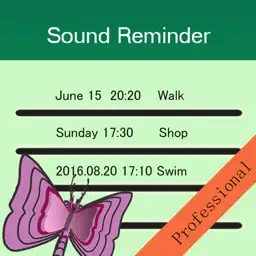
Preview


Description
Use this App as the partner of Apple Music, Use this App as the background sound reminder by playing our favorite sound file. Use this App as the background talking reminder by talking text message with the language we prefer. 1 Use this App as the partner of Apple Music When the device is locked, or when we are using many other Apps. The App could start playing our favorite music every five minutes, every 10 minutes, every 30 minutes, the number of minute could be 1 to 59. Step1: in Apple Music, select our favorite music, then download it to the local Step2: in this App, tap the import button, and import this music. Step3: add the interval event. select the music and set the number of interval minutes. Step4: save the event and tap start button. Step 5: when the job list view is displayed, press the home key or lock the device. 2 Use this App as the background sound reminder by playing our favorite sound file. Every night, before going to bed, just tap the start button, and lock the device, in the next morning, the App could remind us to wake up by playing our favorite music or sound file. First Step: Add the every day event, set the remind time, for example, 6:00 and select the sound file or music, tap the save button. Second Step: Every night, before going to bed, launch this App, tap start button. Then, locked the device. 3 Use this App as the background talking reminder Every hour, at the indict time, report the current time by talking in the language we select. Step: Add the every hour event, set the remind time, select to talk the time, select the talking language. If we hope this App to talk text message, we need to select to talk text and input the text message. Then tap save button, and tap the start button. When the job list view is displayed, we could press the home key or lock the device. Main Features: 1. Import the sound file from iCloud disk, Import the sound file by using iTune File Sharing 2.It could talk the current time or talk the text messages in more than 20 languages. 3. In the background status, this App could run when we are using safari, when we are reading the file , when we are viewing the video. 4. When this App is running in the background, we could hear a little running sound of clock. 5. This App includes every day, every hour, every week, every month, one time and interval event. 6. The sound file from iCould or iTunes File Sharing could be: MP3 file,M4A ,WAV, MP4, CAF ,AIFF file 7. Save our reminder data to the Core Data database system 8 When Sound Reminder is running in the background, we want to stop the running status, then just relaunch Sound Reminder, tap the stop button at the top left corner in the job view. 9 The background job will be interrupted by incoming phone call, or Siri, or some other apps. So in the situations above, we need to notice whether the App could recover correctly. If the App cannot play the background running sound correctly, we need to launch this App again. About overlay situation:if the first job has been playing and another playing sound job is coming, the current playing sound job will be stop, the new sound job will start successfully.
What's New
Version 3.5.5 2024-05-27
Update the following default preference in the setting view: The default talking volume will be Normal instead of the Loudest in the earlier edition. We could u...Update the following default preference in the setting view: The default talking volume will be Normal instead of the Loudest in the earlier edition. We could update the default setting from the setting view. Technical Analysis
Package Overview Basic metadata
Bundle ID
fangshen.Sound-Reminder Current Version 3.5.5
Minimum iOS 12.0
Package Size App Store Size
Package Metadata 0 / 16 version records
Detailed binary, privacy manifest, framework, and Info.plist results have not been indexed for this package yet. The verified App Store and archive metadata above remains available.
Known Version Records
0 version records with stored package metadata • 16 known version records
Stored metadata does not guarantee a package is currently available to download.
| Details | Version / IDs | Version date | Action |
|---|---|---|---|
| Not archived | App Store ID: 866014044 | Unknown | Paid / Arcade |
| Not archived | App Store ID: 858367168 | Unknown | Paid / Arcade |
| Not archived | App Store ID: 853487718 | Unknown | Paid / Arcade |
| Not archived | App Store ID: 840967361 | Unknown | Paid / Arcade |
| Not archived | App Store ID: 836752536 | Unknown | Paid / Arcade |
| Not archived | App Store ID: 830383750 | Unknown | Paid / Arcade |
| Not archived | App Store ID: 830271295 | Unknown | Paid / Arcade |
| Not archived | App Store ID: 829662687 | Unknown | Paid / Arcade |
| Not archived | App Store ID: 829547850 | Unknown | Paid / Arcade |
| Not archived | App Store ID: 829491086 | Unknown | Paid / Arcade |
| Not archived | App Store ID: 829402651 | Unknown | Paid / Arcade |
| Not archived | App Store ID: 829217398 | Unknown | Paid / Arcade |
| Not archived | App Store ID: 828903886 | Unknown | Paid / Arcade |
| Not archived | App Store ID: 828880047 | Unknown | Paid / Arcade |
| Not archived | App Store ID: 820631930 | Unknown | Paid / Arcade |
| Not archived | App Store ID: 655372905 | Unknown | Paid / Arcade |