
Preview




Description
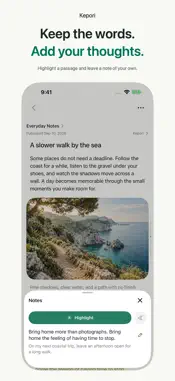
Keep what you love. Find it when you need it. Kepori is a personal collection and read-later app for iPhone and iPad. Share or paste public links to save supported articles, images, and videos with their author and original source. You can also write a note or add your own photos and videos. Give your collection a clear home. Organize it with spaces and subspaces, add multiple tags, and filter by tag or source. Browse the parent space with its subspaces, or focus on just one space. Read at your own pace. Adjust fonts, spacing, and themes, highlight passages, and leave notes. Revisit text and media offline once they have been fully saved to your device. Find items by keyword, on-device smart search, or recognized text in saved images. Use your collection beyond the app. Eligible items get readable text and locally saved media copies in the Kepori folder in Files. Changes to those copies do not update your library, and protected items are excluded. Export individual items as PDF, HTML, or Markdown, and save a library backup to a location you choose. Shortcuts can connect your collection to everyday workflows. Made for iPhone and iPad. Save on the go, or browse your collection and content side by side in a wider iPad window, with support for multitasking, a keyboard, and a pointer. Start with a local library, without creating a Kepori account. You can choose iCloud to store originals and share your collection across devices using the same Apple account. Previews stay on the device; originals load when needed. iCloud requires available storage and connectivity, and all devices should be updated to the latest version. Online AI sends selected content to the relevant service provider; costs and conditions are shown in the app. Keep up to 10 active items for free. Pro removes the collection limit and is available through monthly, yearly, and one-time purchases. Pro does not include unlimited AI services. Manage auto-renewing subscriptions in your Apple account settings. Saving depends on the source and its access conditions. Please respect creators and copyright. Support: https://kepori.app/?lang=en#contact Privacy: https://kepori.app/privacy?lang=en Terms: https://kepori.app/terms?lang=en
What's New
Version 1.0.8 2026-11-02
A more comfortable way to collect, browse and read. • Preview appearance in place: adjust collection layouts and reading themes, fonts and spacing on the real ... Technical Analysis
Package Overview Basic metadata
Bundle ID
com.wenluzhang.works Current Version 1.0.8
Minimum iOS 17.0
Package Size App Store Size
Package Metadata 0 / 0 version records
Detailed binary, privacy manifest, framework, and Info.plist results have not been indexed for this package yet. The verified App Store and archive metadata above remains available.
Developer Information
Known Version Records
0 version records with stored package metadata
Stored metadata does not guarantee a package is currently available to download.
| Details | Version / IDs | Version date | Action |
|---|