Preview





Description
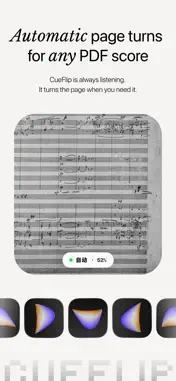
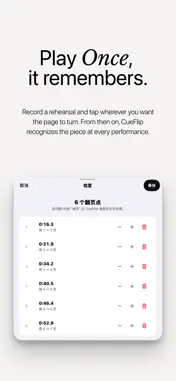
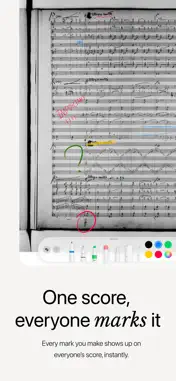
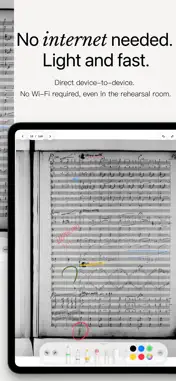
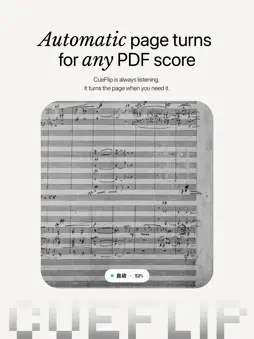
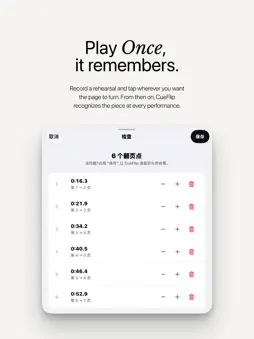
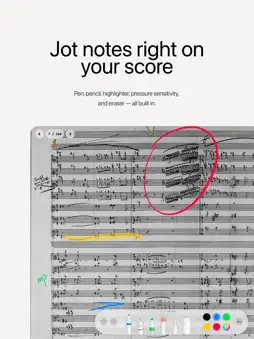
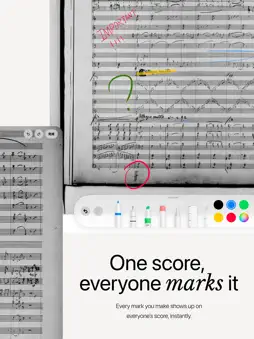
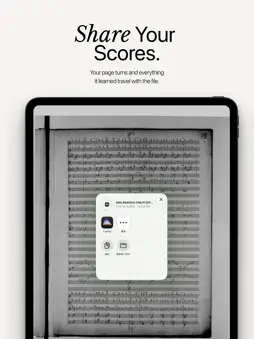
CueFlip is a sheet music reader for iPad and iPhone that listens as you play and turns the page for you — no pedal, no timer. For as long as there has been sheet music, someone has had to turn the page — you, reaching over, or a friend who caught your eye. CueFlip does that job. Play a piece through once so it learns the score. After that, just play: when you reach the last bar of a page, the next one is already there. It is not a timer. Hold the fermata and it holds with you. Take the repeat and so does it. Slow the final four bars as you always do, and nothing moves until you finish. And when it is wrong — one day it will be — tap the edge of the page, as you always have. If it was following well, it steps aside a few seconds, then picks you back up. If it had lost you, that same tap tells it where you are. ◆ TEACHING IT A PIECE Import any PDF you own — Files, iCloud Drive, AirDrop, another app. It opens straight in the reader: read now, teach it when you are ready. To teach it, play the piece through and tap the page edge whenever you turn. That is the whole setup. No instrument to hand? Import a recording and mark the turns as it plays. Turn backwards while teaching and it learns the jump: repeats, D.S., first and second endings. ◆ ON STAGE A small marker low on the screen shows its state: Listening, Auto, Paused, Manual. Nothing else moves. Tapping the page edge always works, and so does a Bluetooth page-turner pedal, on every plan. A pedal is what you reach for when you stop trusting the software; charging for that would be indecent. ◆ ON THE STAND Apple Pencil markings with the full system tool palette, clear at any zoom. Keep them on layers — fingerings, bowings, your teacher's notes — and switch each on or off. A metronome with tap tempo, any time signature, 1–500 BPM, count-in and a tempo trainer. In silent mode it pulses the screen edge instead of clicking; it stops itself before a performance begins. In an ensemble, every device can lock to the same beat. A tuner beside it: how many cents off, which way to go, and a concert pitch you can move to 442 or 415. And a piano, voiced key by key from recorded concert grands, with a sustain pedal — check a note or chord without leaving the page. Default, Sepia and Night, for the rehearsal room, the pit and the 6am service, with adjustable warmth. Rehearsing together? Share your markings live with a nearby iPad — no router, no internet. On iPad, a rail down the edge scans the whole score: drag, watch the page ahead, let go. ◆ WHAT STAYS HERE No account, ever. Your scores, recordings and markings never leave this device unless you send them yourself or turn on iCloud Sync (your own iCloud only). Nothing from the microphone is uploaded unless you choose to send us a page-turn report. ◆ WHAT IT COSTS Automatic page turning is free. So are importing PDFs, writing on them, folders, the metronome, the tuner, learning from a recording, pedal and manual turns, and restoring a backup — with one score performable at a time. CueFlip Pro lifts that limit and adds iCloud sync, annotation layers, ensemble metronome sync, the piano, page editing, live annotation sharing, multi-movement scores, performance history, and export — a learned score someone else can perform straight away, or your whole library as one backup. CueFlip Lifetime is all of it, bought once, yours for good. A score beyond your plan is never deleted or locked — it just stops turning pages. Students and teachers: discounted Pro, details in-app. Subscriptions renew automatically through your Apple Account unless cancelled at least 24 hours before the period ends. Manage or cancel in Settings. --- ※ CueFlip contains no sheet music: bring the scores you already have. iPhone and iPad, iOS 16.4 or later. Even without automatic page turning, it is still a perfectly good score reader. Terms: https://www.apple.com/legal/internet-services/itunes/dev/stdeula Privacy: https://cueflip.com/privacy
What's New
Version 1.6 2026-11-01
This update brings the Music Dictionary: hold a printed term in the score to look it up. Score following and practice statistics are improved too. -- New -- -... Technical Analysis
Package Overview Basic metadata
Bundle ID
com.cueflip.CueFlipApp Current Version 1.6
Minimum iOS 16.4
Package Size App Store Size
Package Metadata 0 / 0 version records
Detailed binary, privacy manifest, framework, and Info.plist results have not been indexed for this package yet. The verified App Store and archive metadata above remains available.
Developer Information
Known Version Records
0 version records with stored package metadata
Stored metadata does not guarantee a package is currently available to download.
| Details | Version / IDs | Version date | Action |
|---|