
Preview







Description
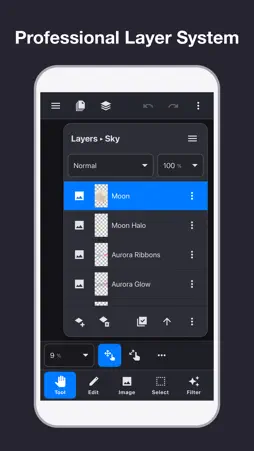
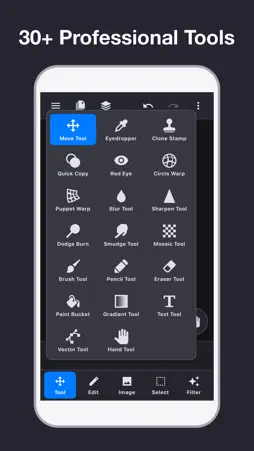
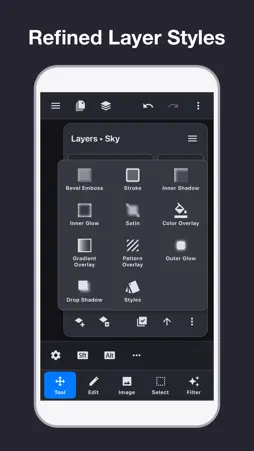
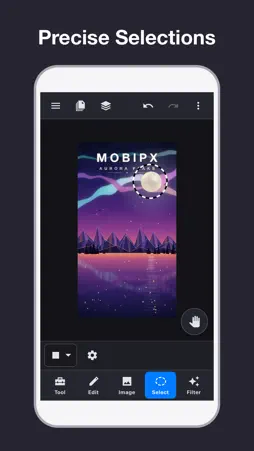
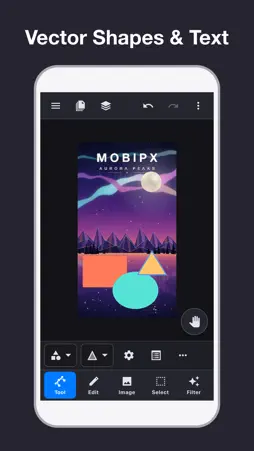
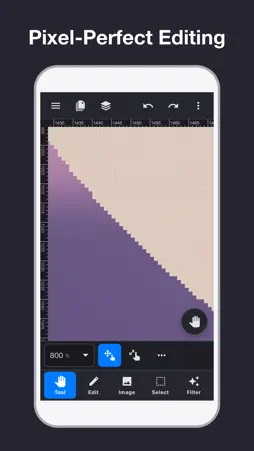
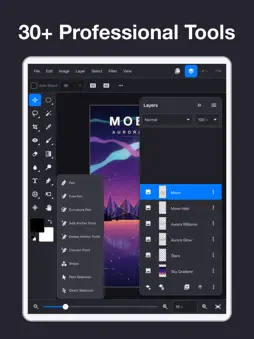
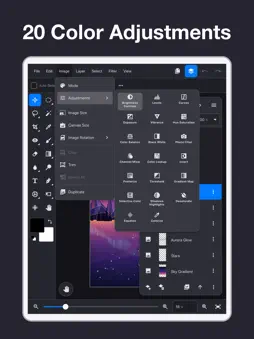
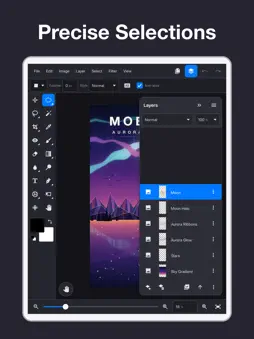
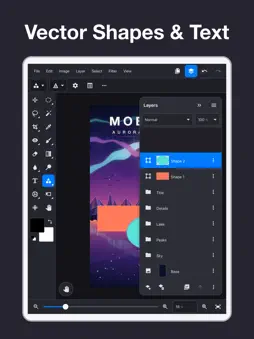
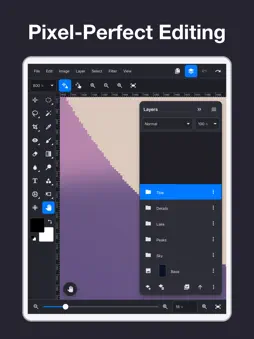
A professional image editor: layers, selections, masks, vector graphics and pixel-level editing, deeply compatible with PSD files. MobiPx is a mobile image editor built for professionals with desktop retouching experience: it follows the logic and workflows of desktop software, optimized for touch — get complex editing done in a familiar way, with little to learn. Completely rebuilt, with major upgrades in features, performance and PSD compatibility. Key features: ■ On-device AI Content-Aware Fill removes unwanted objects; Select Subject and Object Selection cut out people and objects with a tap; Face-Aware Liquify reshapes faces; Preserve Details (AI) enlarges images with sharp detail; AI Denoise removes noise. Everything runs on your device and works offline. ■ Complete layer system Image, text, shape, fill (solid/gradient/pattern), adjustment and group layers; 27 blend modes with opacity control; layer, vector and clipping masks for complex non-destructive compositing. ■ Deep PSD compatibility Open, edit and save PSD directly — PSD is the project format, seamlessly connecting to desktop workflows. Layer groups, adjustment layers, masks, blend modes, layer styles and text layers are read correctly and fully preserved on save. ■ Powerful selections Rectangular, elliptical, lasso, polygonal lasso, magnetic lasso and magic wand tools, plus Transform Selection and rich selection commands for precise edits to specific areas. ■ 30+ professional tools Crop, Perspective Crop, Move, Free Transform, Transform Selection, Rectangular Selection, Elliptical Selection, Lasso, Polygonal Lasso, Magnetic Lasso, Magic Wand, Pencil, Brush, Paint Bucket, Gradient, Eraser, Eyedropper, Clone Stamp, Quick Copy, Circle Warp, Puppet Warp, Red Eye, Blur, Sharpen, Dodge/Burn, Smudge, Liquify, Mosaic, Text, Guides, Hand, Vector (Shape/Pen) and more. ■ 20 color adjustments and adjustment layers Brightness/Contrast, Levels, Curves, Exposure, Vibrance, Hue/Saturation, Color Balance, Black & White, Photo Filter, Channel Mixer, Color Lookup, Invert, Posterize, Threshold, Gradient Map, Selective Color, Shadows/Highlights, Desaturate, Equalize, Colorize. Stack them as adjustment layers, change parameters anytime and combine with masks for non-destructive color work. ■ Nearly 80 filters plus a Filter Gallery Blur (Gaussian, Lens, Motion, Radial, Surface, Smart Blur…), sharpening (Unsharp Mask…), distort, noise, pixelate, render and stylize categories, plus Filter Gallery effects: brush strokes, sketch, texture and artistic. ■ 10 layer styles Drop Shadow, Inner Shadow, Outer Glow, Inner Glow, Bevel & Emboss, Satin, Color Overlay, Gradient Overlay, Pattern Overlay and Stroke; stack multiple instances of the same style for richer effects. ■ Vector graphics and text Create and edit vector graphics with the Shape and Pen tools; text layers support fonts, sizes and colors, and round-trip fully with PSD. ■ Resource library Brushes, patterns, styles and fonts in one place; import brush (.abr), pattern (.pat) and style (.asl) packs as well as custom fonts. ■ Huge documents, high performance GPU-accelerated tiled rendering with multi-level caching supports very large documents, adapting automatically to device memory. ■ Pixel-level precision Zoom in to pixel level for precise editing; guides and grids ensure accurate positioning and alignment. ■ Multiple documents and auto-save Open several documents and switch quickly; full undo/redo history; auto-save lowers the risk of accidental loss. ■ Import and export Open PSD, PNG and JPG files or import from your photo library; export as PSD, PNG or JPG, or save to the photo library; send images from other apps straight to MobiPx via system sharing. ■ 25 languages The interface is available in 25 languages, including English, Chinese, Japanese, Korean, German, French, Spanish, Portuguese, Russian and Arabic.
What's New
Version 2.3 2026-10-19
MobiPx 2.3 This release brings more on-device AI to your image editing: • Content-Aware Fill: fills a selection naturally from the surrounding image, for examp...MobiPx 2.3 This release brings more on-device AI to your image editing: • Content-Aware Fill: fills a selection naturally from the surrounding image, for example to remove unwanted objects. • Select Subject: selects people or the main subject with one tap. • Preserve Details (AI): enlarges images in Image Size with sharper detail. • AI Denoise: reduces noise while keeping detail. All AI processing runs on your device and works offline. Better PSD compatibility: slices, alpha channels, paths, smart objects, smart filters, adjustment layers, text styles and multiple layer effects are preserved when you open and save PSD files. Improved stability, including a fix for a black screen at launch on some devices. Thank you for using MobiPx. Feedback is welcome. Technical Analysis
Package Overview Basic metadata
Bundle ID
com.wenyou.GicPic Current Version 2.3
Minimum iOS 17
Package Size App Store Size
Package Metadata 1 / 12 version records
Detailed binary, privacy manifest, framework, and Info.plist results have not been indexed for this package yet. The verified App Store and archive metadata above remains available.
Developer Information
Known Version Records
1 version record with stored package metadata • 12 known version records
Stored metadata does not guarantee a package is currently available to download.
| Details | Version / IDs | Version date | Action |
|---|---|---|---|
| 297.73 MB | v2.2 App Store ID: 871123550Build: 2.2 | 2026-10-02 02:19:02 | Get Version |
| Not archived | App Store ID: 869950900 | Unknown | Request Version |
| Not archived | App Store ID: 868634594 | Unknown | Request Version |
| Not archived | App Store ID: 868002691 | Unknown | Request Version |
| Not archived | App Store ID: 867506341 | Unknown | Request Version |
| Not archived | App Store ID: 866885098 | Unknown | Request Version |
| Not archived | App Store ID: 866376162 | Unknown | Request Version |
| Not archived | App Store ID: 865908725 | Unknown | Request Version |
| Not archived | App Store ID: 865129271 | Unknown | Request Version |
| Not archived | App Store ID: 862240518 | Unknown | Request Version |
| Not archived | App Store ID: 861938205 | Unknown | Request Version |
| Not archived | App Store ID: 861250131 | Unknown | Request Version |