
Preview










Description
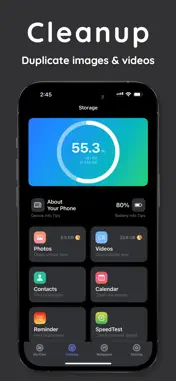
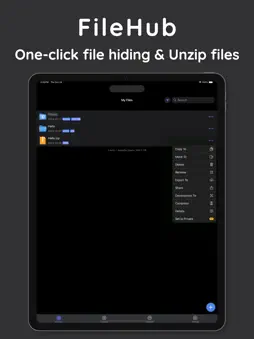
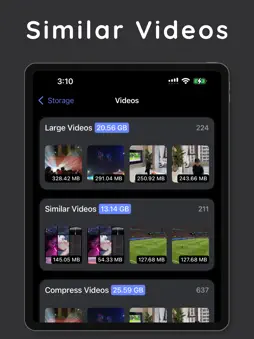
FileHub - iOS HD Wallpaper Mobile Wallpaper, Intelligent File Management and Cleanup Master Meticulously designed for iOS users, FileHub is a highly powerful application that integrates file management, storage optimization, and personalized settings. 1. There are a large number of high-definition and exquisite wallpapers for you to choose from. They are updated daily to keep up with the trend. 2. You can independently choose categories. In the edit mode of the left button on the home page, you can adjust your favorite categories as you like. 3. It has a personalized wallpaper editing function, supporting Gaussian blur, saturation, and hue adjustment, allowing you to fully DIY your own exclusive wallpaper. 4. Core Functions of File Management 5. Efficient Downloading: Supports easily downloading pictures and videos from Twitter/X to enrich your resource library. 6. Intelligent Media Management: Can quickly and accurately find duplicate or similar photos and videos. With just one click, precious storage space is released. At the same time, it has lossless video compression technology, maintaining high-definition picture quality while saving space and making your video sharing more convenient. 7. Calendar Cleanup: Automatically clears expired calendar events and reminders to help make your schedule management clearer and more orderly. 8. Contact Optimization: Intelligently identifies and merges duplicate contacts to simplify the contact management process. 9. Storage Analysis: Through an intuitive storage space analysis chart, it clearly shows the details of storage usage and assists you in making wise cleaning decisions. 10. All-round Document Processing: Supports compression, decompression, and preview of multiple compressed file formats to meet your document processing needs. 11. Privacy Protection: Provides file encryption and hiding functions to ensure the safety of private files. Combined with iCloud intelligent synchronization, it seamlessly synchronizes files while enhancing data privacy protection. 12. Network Optimization: Has a network speed test function to optimize your online experience and make the network connection smoother. It also supports file transfer between devices on the same local area network for efficient file sharing. II. Outstanding User Experience 1. A simple and intuitive user interface that is friendly and easy to use, allowing you to easily control your iOS device. 2. Fully integrated functions that meet diverse needs such as storage management, file processing, and personalized beautification in one stop. 3. With intelligent automatic search technology, it automatically processes unnecessary files, efficiently releases space, and saves your time and energy. III. Subscription Details Offers flexible weekly and monthly subscription options with transparent costs and automatic renewal. The price is displayed in US dollars and will be automatically converted to local currency according to the region. Subscriptions are renewed automatically by default. You can turn off the renewal at any time in the account settings. The account will be charged for the next period 24 hours before the end of the subscription period. IV. Subscription Benefits After subscribing or purchasing, you can use all the functions of the application without limitations, efficiently organize files and folders, quickly detect and clean up similar photos and videos, save storage space and time, and enjoy more advanced functions in the future. Learn More Terms of Use: https://monkey-x-byte.github.io/TermsofService.html Privacy Policy: https://monkey-x-byte.github.io/privacypolicy.html Billing Terms: https://monkey-x-byte.github.io/terms.html Contact Us Email: [email protected] FileHub helps you easily manage iOS device files, achieve personalized customization and intelligent storage optimization. Come and experience it!
What's New
Version 2.0.1 2024-10-24
Bugs are fixed. Technical Analysis
Package Overview Basic metadata
Bundle ID
com.bakaratini.cleanup.storage.master.ios.app Current Version 2.0.1
Minimum iOS 15.0
Package Size App Store Size
Package Metadata 1 / 26 version records
Detailed binary, privacy manifest, framework, and Info.plist results have not been indexed for this package yet. The verified App Store and archive metadata above remains available.
Developer Information
Known Version Records
1 version record with stored package metadata • 26 known version records
Stored metadata does not guarantee a package is currently available to download.
| Details | Version / IDs | Version date | Action |
|---|---|---|---|
| 81.24 MB | v2.0.1 App Store ID: 869940706Build: 2.0.1 | 2024-10-24 22:58:48 | Get Version |
| Not archived | App Store ID: 869586718 | Unknown | Request Version |
| Not archived | App Store ID: 869029330 | Unknown | Request Version |
| Not archived | App Store ID: 868771807 | Unknown | Request Version |
| Not archived | App Store ID: 868512942 | Unknown | Request Version |
| Not archived | App Store ID: 868374719 | Unknown | Request Version |
| Not archived | App Store ID: 868167445 | Unknown | Request Version |
| Not archived | App Store ID: 868084080 | Unknown | Request Version |
| Not archived | App Store ID: 868059529 | Unknown | Request Version |
| Not archived | App Store ID: 867924615 | Unknown | Request Version |
| Not archived | App Store ID: 867859100 | Unknown | Request Version |
| Not archived | App Store ID: 867800959 | Unknown | Request Version |
| Not archived | App Store ID: 867532889 | Unknown | Request Version |
| Not archived | App Store ID: 867399152 | Unknown | Request Version |
| Not archived | App Store ID: 867337289 | Unknown | Request Version |
| Not archived | App Store ID: 867123647 | Unknown | Request Version |
| Not archived | App Store ID: 866993398 | Unknown | Request Version |
| Not archived | App Store ID: 866922000 | Unknown | Request Version |
| Not archived | App Store ID: 866894818 | Unknown | Request Version |
| Not archived | App Store ID: 866603895 | Unknown | Request Version |
| Not archived | App Store ID: 866395011 | Unknown | Request Version |
| Not archived | App Store ID: 866231814 | Unknown | Request Version |
| Not archived | App Store ID: 866070003 | Unknown | Request Version |
| Not archived | App Store ID: 865876715 | Unknown | Request Version |
| Not archived | App Store ID: 865555427 | Unknown | Request Version |
| Not archived | App Store ID: 865113429 | Unknown | Request Version |