
Preview



Description
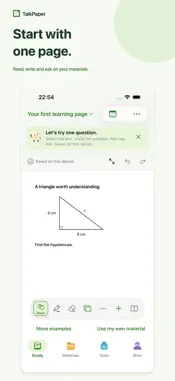
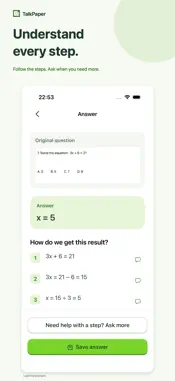
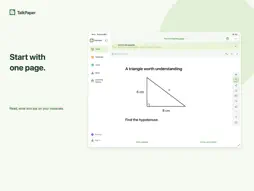
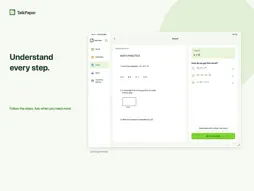
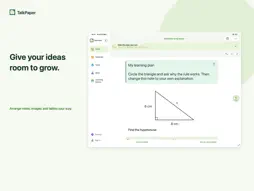
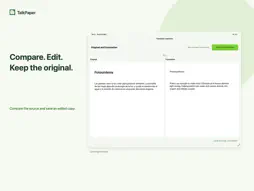
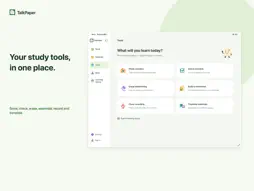
TalkPaper is a personal study workspace for students and independent learners. Bring handouts, textbooks, homework and notes together on iPhone and iPad, then write, ask questions and explore your materials. START AT YOUR OWN PACE Import, read and organize local materials before signing in. Sign in when you need cloud AI or other account features. Signing in does not move local materials automatically. Select materials and add them to your account manually before learning conversion. RETURN TO UNFINISHED WORK Resume saved tool drafts and saved recording segments. Classroom recording offers live transcription, transcription after recording, and record-only modes. On-device transcription requires downloadable speech resources. Compare the source and translation on wider layouts, edit the translation and save a copy while preserving your original material. REVISIT YOUR LEARNING JOURNEY Use Calendar to review reading, annotations, questions and Explore activity by date. Switch between week and month views. Open a record to preview its document or continue from your last reading page. Learning history stays on this device and does not sync across devices. ASK ON THE PAGE Circle a problem or mark relevant content to ask AI a question. Keep explanations beside your material, then ask a follow-up, request a hint or try a similar problem. EXPLORE YOUR MATERIALS Turn a document or page into visual, interactive learning material with explanations, practice and quizzes. View the source alongside your learning page, add handwritten notes and export the material with annotations as PDF. ORGANIZE A FREEFORM CANVAS Add sticky notes, images, tables, web links and video cards. Move and resize content to arrange your ideas. Import multipage PDFs to read, annotate and ask questions. DISCOVER MATERIALS AND STUDY TOOLS Search multilingual learning materials in Toolbox and open a personal copy to keep studying. Solve problems, check answers, erase handwriting, assemble practice sets, record and transcribe classes, and translate materials. Supports iPhone and iPad. Interface languages: English, Simplified Chinese, Traditional Chinese, Japanese and Korean. Cloud AI features require an internet connection. Some features use learning credits or subscription benefits. AI-generated content may be incorrect; verify important information. Read-aloud and local transcription require separate speech-resource downloads. You can start recording before transcription resources are ready. Korean read-aloud is not currently supported. Terms of Use (Apple Standard EULA): https://www.apple.com/legal/internet-services/itunes/dev/stdeula/
What's New
Version 1.11 2026-10-29
• A simpler materials page: find Manage materials and Trash in the More menu at the top right. • Reduced repeated explanations in Tools and Me while keeping fam... Technical Analysis
Package Overview Basic metadata
Bundle ID
com.pennote.app Current Version 1.11
Minimum iOS 26.0
Package Size App Store Size
Package Metadata 0 / 0 version records
Detailed binary, privacy manifest, framework, and Info.plist results have not been indexed for this package yet. The verified App Store and archive metadata above remains available.
Developer Information
Known Version Records
0 version records with stored package metadata
Stored metadata does not guarantee a package is currently available to download.
| Details | Version / IDs | Version date | Action |
|---|