Preview







Description
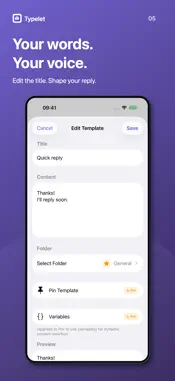
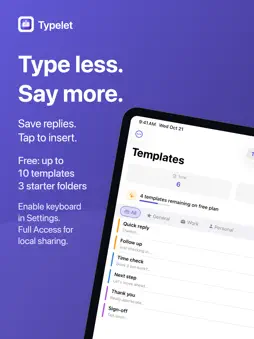
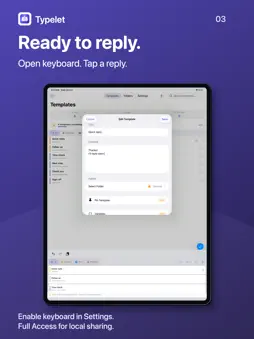
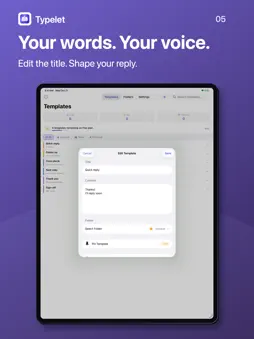
Stop retyping the same messages. Typelet puts saved replies, signatures, addresses, prompts, and other reusable text directly inside a custom keyboard, ready to insert in any app with one tap. Save it once. Organize it your way. Use it wherever you type, without switching apps or searching through Notes. SAVE REUSABLE TEXT - Create quick replies, canned responses, email templates, signatures, addresses, links, prompts, and frequently used phrases - Organize templates into folders with custom icons and colors - Search, edit, pin, and manually arrange templates in the main app - Select multiple templates to move or delete them together INSERT FROM THE TYPELET KEYBOARD - Open Typelet from any text field that supports third-party keyboards - Browse templates by folder and tap once to insert - Keep pinned templates at the top and use the same custom order in the app and keyboard - Choose a keyboard theme that fits your style DYNAMIC VARIABLES - Automatically insert the current date, time, long date, ISO date, tomorrow, or next week - Add weekday names and time-aware greetings in English, French, or Dutch - Create saved values for reusable details such as your name, email, company, or signature - Add custom variables with default values for templates that need changing details WIDGETS AND USAGE - View frequently used templates from small and medium Home Screen widgets - Tap a widget template to copy it for quick use - See total uses and weekly activity in the main app BACKUP AND RESTORE - Export your folders and templates as a JSON backup - Preview imports before changing your data - Merge adds missing records and updates matching records; Replace All replaces the active template and folder collection - Replace All first creates a local JSON safety copy; exports omit detailed insertion history and most preferences PRIVATE BY DESIGN - No account or cloud service is required - Templates are stored locally on your device - No third-party analytics or advertising SDKs - The Typelet keyboard uses Allow Full Access only to share your locally stored templates and usage records with the main app through Apple's App Group container - The keyboard makes no network requests, does not read the clipboard, and never records or uploads what you type HOW TO ENABLE THE KEYBOARD 1. Open Settings, then General, Keyboard, and Keyboards 2. Tap Add New Keyboard 3. Select Typelet 4. Tap Typelet and enable Allow Full Access for on-device template and usage synchronization 5. In any text field, long press the globe key and select Typelet FREE AND PRO The free version includes up to 10 templates and three starter folders, plus editing, deletion, manual ordering and batch management of existing templates. Typelet Pro unlocks: - Unlimited templates - Unlimited custom folders with icons and colors - Dynamic and saved variables - Template pinning - Keyboard themes - Import and export Choose a yearly auto-renewing subscription or a one-time Lifetime purchase. The app checks Apple's introductory-offer eligibility before displaying an available trial. The trial duration, subsequent price and billing period are shown before purchase. Existing monthly subscriptions remain supported, including renewals and Restore Purchases. Subscriptions renew automatically unless canceled at least 24 hours before the end of the current period. You can manage or cancel a subscription in your App Store account settings. Pro access remains available until the end of the paid subscription period. Contact: [email protected] Privacy Policy: https://app-legal-pages.vercel.app/typelet/privacy Terms of Service: https://app-legal-pages.vercel.app/typelet/terms
What's New
Version 1.3 2026-10-21
• Better keyboard completion and focus handling in template, folder and variable editors • Failed saves keep the editor open so you can retry • Shorter keyboard... Technical Analysis
Package Overview Basic metadata
Bundle ID
com.taplet.app Current Version 1.3
Minimum iOS 17.0
Package Size App Store Size
Package Metadata 0 / 1 version records
Detailed binary, privacy manifest, framework, and Info.plist results have not been indexed for this package yet. The verified App Store and archive metadata above remains available.
Developer Information
Known Version Records
0 version records with stored package metadata • 1 known version records
Stored metadata does not guarantee a package is currently available to download.
| Details | Version / IDs | Version date | Action |
|---|---|---|---|
| Not archived | App Store ID: 884219773 | Unknown | Request Version |