
Preview





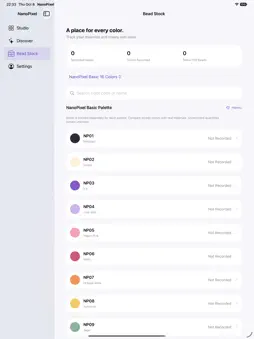


Description
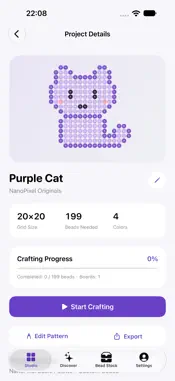
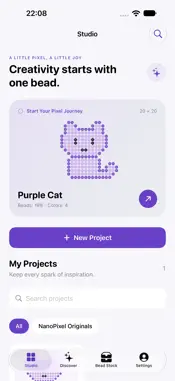
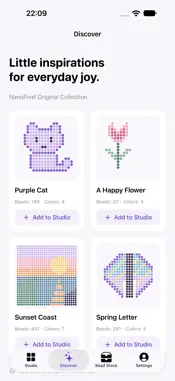
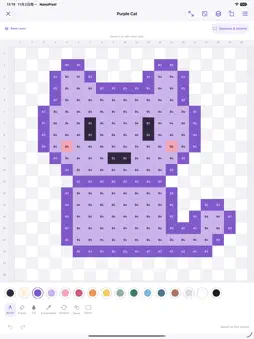
Create pixel patterns and organize your bead projects with NanoPixel. Start with a blank canvas, convert a photo, import a grid image, or explore four original examples. Refine your design with drawing tools, layers and selections, then switch to crafting to follow your progress color by color. • Edit pixels with a pen, eraser, fill, picker and color replacement. • Organize work with layers, selections, undo and redo. • Import grid images, adjust alignment and review recognized color codes. • Track bead stock and compare it with your material list. • Import your own JSON color palettes. • Export editable projects, transparent PNGs and printable PDFs. • Back up your project library and export import drafts separately. • Work without an account, with on-device image processing and eight interface languages. The built-in palette is a NanoPixel palette, not a verified brand color chart. Recognition results need your review. For actual-size printing, use 100% scale and measure the included ruler before placing beads. NanoPixel Pro is an optional one-time in-app purchase, with no subscription. Pro unlocks adding, duplicating, reordering and merging layers, selection editing, and actual-size 1:1 PDF printing. Basic creation, image imports, crafting, PNG and editable-project exports, fit-to-page PDF export, backups, and viewing or editing existing layers remain free.
What's New
Version 1.1.0 2026-11-02
- Added iPhone Duo support, with adaptive layouts for its inner and outer displays and improved continuity when opening, partially opening or closing the device...- Added iPhone Duo support, with adaptive layouts for its inner and outer displays and improved continuity when opening, partially opening or closing the device. - Refine your patterns before saving: correct individual cells, replace colors, clean connected edge backgrounds, and compare with an aligned original-image overlay. - Craft with a larger, distraction-free canvas, smoother drag and pinch navigation, precise coordinates, and row-by-row or column-by-column guidance. - Resume photo and grid corrections, return to your crafting position, and track crafting time with a manual timer. - Improved adaptive layouts and input handling when window sizes change, plus more responsive project-file imports. Technical Analysis
Package Overview Basic metadata
Bundle ID
com.levi87.nanopixel Current Version 1.1.0
Minimum iOS 17.0
Package Size App Store Size
Package Metadata 0 / 0 version records
Detailed binary, privacy manifest, framework, and Info.plist results have not been indexed for this package yet. The verified App Store and archive metadata above remains available.
Known Version Records
0 version records with stored package metadata
Stored metadata does not guarantee a package is currently available to download.
| Details | Version / IDs | Version date | Action |
|---|