Preview




Description
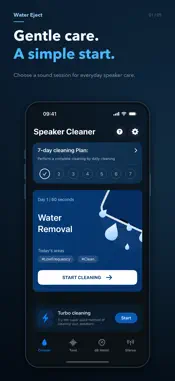
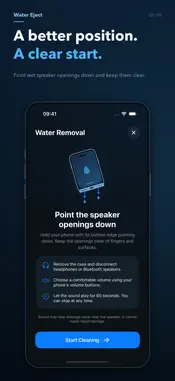
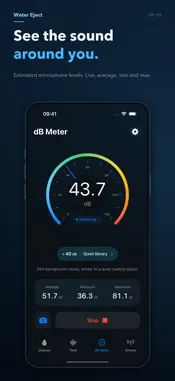
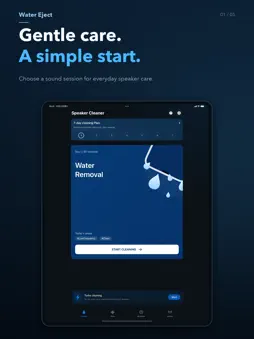
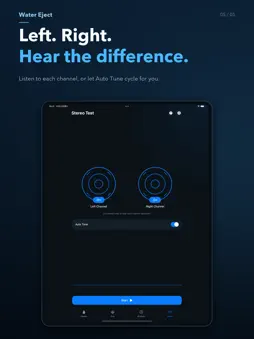
Keep useful audio tools together: low-frequency tones, a tone generator, sound-level estimates and stereo channel checks. No account is required. LOW-FREQUENCY SESSIONS Choose a 60-second regular session or a quick 30-second session. Follow the placement guide before playback, with the speaker openings facing down and unobstructed. Pause, resume or stop early. You control the volume using your device's volume buttons. SEVEN-DAY PROGRESS Record completed regular sessions by date on your device, with one completion counted per day. The seven-day view organizes your own activity; it is not a clinical program and does not require seven consecutive days. 20–20,000 HZ TONE GENERATOR Adjust the frequency, enter a value or select a preset. Audible frequencies and actual output depend on your device, audio route and hearing. LIVE SOUND-LEVEL REFERENCE Use the microphone to view current, average, minimum and maximum estimates on a 0–120 gauge. Explore everyday sound examples and a guide to decibels. Readings are uncalibrated and intended for relative comparison. Sound examples are matched by numeric level; the app does not identify sounds. PHOTOS AND VIDEOS WITH READINGS View live readings and time over the camera preview. Capture a photo or record a video with sound, with readings embedded in the exported picture. Save or share using the system share menu. STEREO CHANNEL CHECKS Listen to the left and right channels separately or cycle between channels automatically. Stereo headphones or speakers make separation easier to hear. Built-in device speakers may behave differently. LANGUAGE AND APPEARANCE Choose Simplified Chinese, English or Follow System in Settings. Language changes apply immediately. Light, dark and system appearance options are available. DATA AND PERMISSIONS Ordinary sound-level measurement processes microphone levels live without saving a recording. Only videos you choose to record contain audio. Preferences, completion dates and capture processing stay on your device. The app does not automatically upload captures; you choose where to save or share them. BEFORE YOU START Sound may help move residual water near a speaker grille. Results depend on the device and exposure. Water Eject cannot guarantee water or dust removal, repair liquid damage or make a device waterproof. Begin at a low, comfortable volume and stop if sound feels unpleasant. If problems continue, stop using the tool and seek appropriate device service. Sound-level readings do not replace a calibrated dB SPL meter and are not suitable for hearing-safety decisions, diagnosis, occupational-noise assessment or other professional measurements.
Technical Analysis
Package Overview Basic metadata
Bundle ID
com.zhouzf.watereject Current Version 1.0
Minimum iOS 17.0
Package Size App Store Size
Package Metadata 0 / 0 version records
Detailed binary, privacy manifest, framework, and Info.plist results have not been indexed for this package yet. The verified App Store and archive metadata above remains available.
Developer Information
Known Version Records
0 version records with stored package metadata
Stored metadata does not guarantee a package is currently available to download.
| Details | Version / IDs | Version date | Action |
|---|