
Preview


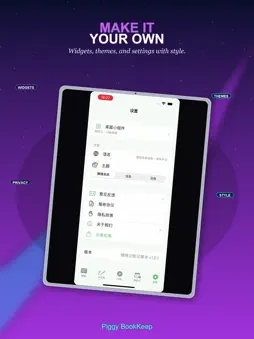
Description
Piggy BookKeep Notebook is an all-in-one life organizer that combines daily expense tracking, handwriting notes, and countdown reminders in a single, easy-to-use app. With a clean interface and short navigation paths, it is designed for students, professionals, freelancers, and families who want to manage spending, capture ideas on the go, and never miss important dates such as birthdays, exams, anniversaries, or project deadlines—all without switching between multiple apps. We prioritize local storage: your ledger entries, handwriting notes, and countdown events are saved primarily on your device for offline access and editing. Excel import and export helps you back up and migrate data when you change phones. The app supports multiple languages, Dark Mode, and optional auto-start controls that you can manage in Settings—off by default, with clear disclosure before you enable them. Expense Tracking & Ledger Tracking money does not have to be complicated. Piggy BookKeep offers a quick “Add Transaction” flow with income and expense categories—ideal for logging purchases right after they happen. Browse your ledger by month and year, with transactions grouped by day so you can review total spending, income, and balance for the current period. Categories include food, transport, shopping, entertainment, housing, medical, education, salary, bonus, and more, with localized category names. Export your data to Excel for backup or sharing, and merge imported spreadsheets into your local ledger after confirmation—useful when moving to a new device. Multiple home screen widgets show monthly summaries, your latest transaction, or recent entries, and refresh automatically after you log new data. Handwriting Notebook Not everything belongs on a keyboard. The built-in handwriting board groups notes by date, with smooth strokes and a pencil-like feel—great for meeting minutes, class notes, shopping lists, and quick sketches. Notes stay on your device for private, offline use. Countdown Reminders Create countdown events for birthdays, trips, exams, holidays, or deadlines and see how many days remain at a glance. Set minute-level reminders with optional repeat rules (daily, weekly, monthly, yearly). Add cover images, crop them for display, and share custom posters with multiple style options. Countdown widgets in small, medium, and large sizes can use your cover art as background; tap to open the app. Data syncs to widgets when you update events. Settings & Personalization Manage language, theme, widgets, auto-start, feedback, Privacy Policy, and Terms of Service from Settings. Supported languages include Simplified Chinese, Traditional Chinese, English, and others. Dark Mode can follow system settings or stay light or dark. Other apps from the same developer show localized names in Chinese or English. Auto-Start Disclosure Auto-start is off by default. If you turn it on in Settings, the app may restore countdown alarms you created after a device reboot, and refresh widgets you already added. This does not initialize advertising or analytics SDKs in the background. You can disable auto-start anytime; details appear in the privacy consent dialog. Permissions The app may request network, storage, notification, and photo library access only when needed for features such as feedback, Excel files, countdown covers, and reminders. Third-party SDKs (e.g., analytics or ads) are described in the in-app Privacy Policy. Ad content is provided by third parties; please evaluate it carefully. Who It Is For Anyone who wants simple expense tracking, handwriting notes, countdown reminders, home screen widgets, multilingual UI, Dark Mode, or Excel backup for personal or small-business budgeting. feedback email : [email protected]
What's New
Version 1.0.3 2026-08-27
修复部分已知问题,优化记账和增加记事本录入功能 Technical Analysis
Package Overview Basic metadata
Bundle ID
bookkeep.wyrs.com Current Version 1.0.3
Minimum iOS 17.0
Package Size App Store Size
Package Metadata 0 / 2 version records
Detailed binary, privacy manifest, framework, and Info.plist results have not been indexed for this package yet. The verified App Store and archive metadata above remains available.
Developer Information
Known Version Records
0 version records with stored package metadata • 2 known version records
Stored metadata does not guarantee a package is currently available to download.
| Details | Version / IDs | Version date | Action |
|---|---|---|---|
| Not archived | App Store ID: 887786841 | Unknown | Paid / Arcade |
| Not archived | App Store ID: 887373636 | Unknown | Paid / Arcade |