
Preview



Description
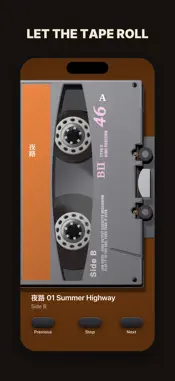
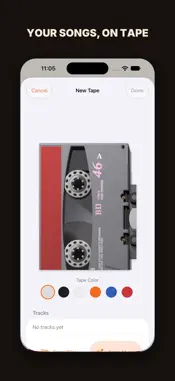
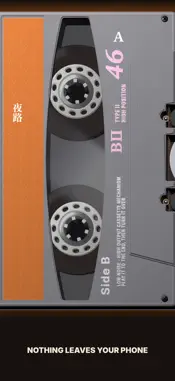
Turn the songs on your phone into a tape, load it into the player, and listen from Side A to Side B. No recommendations, no shuffle, nothing nudging you to skip ahead. A tape is a set of songs you picked, in the order you put them. When one side ends, you turn it over. Make a tape Pick songs from Files or your Music library, give the tape a name and a color. The tracks split into Side A and Side B on their own, and you can move where Side B starts. Plays like a real tape Tap the tape to play, and the reels turn. When Side A ends, it flips to Side B and keeps going. Want it to stop instead? Turn off Auto-Flip Sides in Settings. Picks up where you left off Every tape remembers its side, its track and the second you stopped. Switch to another tape, come back, and it's right where you were. A little real tape feel Turn on the Click Sound (it follows Silent Mode) and a soft layer of Tape Hiss. Choose a Gray Shell or a Clear Shell. All your tapes in one place Swipe down to see your tapes. Pick one, load it into the player, and play. Play, stop and change songs from the Lock Screen and your headphones. Works with VoiceOver and larger text sizes. Stays on your phone No sign-up, no internet, no data collected. Your songs stay on your phone; Side B just puts them on tape. Apple Music subscription songs from your Music library are played by the system, so some tape effects don't apply to them. Songs that aren't downloaded, or whose subscription has lapsed, can't be played.
Technical Analysis
Package Overview Basic metadata
Bundle ID
com.peter.sideb-wj3k Current Version 1.0
Minimum iOS 26.0
Package Size App Store Size
Package Metadata 0 / 0 version records
Detailed binary, privacy manifest, framework, and Info.plist results have not been indexed for this package yet. The verified App Store and archive metadata above remains available.
Developer Information
Known Version Records
0 version records with stored package metadata
Stored metadata does not guarantee a package is currently available to download.
| Details | Version / IDs | Version date | Action |
|---|