
Preview
Description
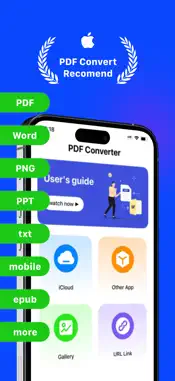
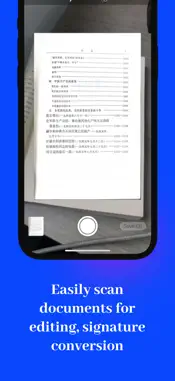
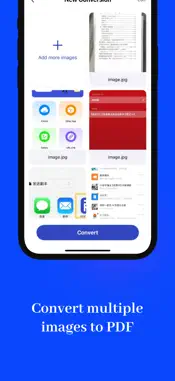
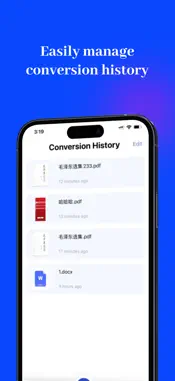
PDF Document Converter is a powerful, all-in-one document processing tool designed for users who need efficient handling of various document types. Whether you need to convert images to PDF or transform PDFs into other formats, our app makes it effortless. ### Key Features: - Multiple Import Options: Easily import documents from iCloud, Photo Gallery, other apps, or URL links - Powerful Document Scanner: Convert physical documents into crisp digital files using built-in scanning features - Multi-Format Conversion: Support conversion between PDF, Word, Excel, PowerPoint, TXT, and more - Batch Image Processing: Merge multiple images into a single PDF document in one go - High-Quality Output: Maintain original document formatting and quality - Clean, Intuitive Interface: Easy to use, even for first-time users ### Supported Formats: - Input Formats: PDF, DOC, DOCX, XLS, XLSX, PPT, PPTX, TXT, Images, and more - Output Formats: PDF, DOCX, XLSX, PPTX, TXT, MOBI, EPUB, HTML, and more Whether you're a student, professional, or business user, PDF Document Converter helps you manage and process documents more efficiently. Download our app and experience convenient document conversion services! ### Privacy & Security: - All document processing is performed locally to protect your data security - No collection of personal information - Full functionality available without registration Information about the auto-renewal of subscription: - Payment will be charged to iTunes Account at confirmation of purchase; – Subscriptions are billed weekly, monthly, quarterly, or annually at the rate based on the subscription plan - Subscription automatically renews unless auto-renew is turned off at least 24-hours before the end of the current period; - The account will be charged for renewal within 24-hours before the end of the current period. The cost depends on the selected plan; - Subscriptions may be managed by the user and auto-renewal may be turned off by going to the user’s Account Settings after purchase; Privacy Policy: https://docs.qq.com/doc/DRVBIa25HSnBqZmxL Terms of Use: https://docs.qq.com/doc/DRVBIa25HSnBqZmxL Contact us: [email protected]
What's New
Version 1.0.4 2025-05-21
Fix some convert bugs Technical Analysis
Package Overview Basic metadata
Bundle ID
com.pdf.scanconvert Current Version 1.0.4
Minimum iOS 15.6
Package Size App Store Size
Package Metadata 0 / 5 version records
Detailed binary, privacy manifest, framework, and Info.plist results have not been indexed for this package yet. The verified App Store and archive metadata above remains available.
Known Version Records
0 version records with stored package metadata • 5 known version records
Stored metadata does not guarantee a package is currently available to download.
| Details | Version / IDs | Version date | Action |
|---|---|---|---|
| Not archived | App Store ID: 874916450 | Unknown | Request Version |
| Not archived | App Store ID: 874539692 | Unknown | Request Version |
| Not archived | App Store ID: 874075187 | Unknown | Request Version |
| Not archived | App Store ID: 873232220 | Unknown | Request Version |
| Not archived | App Store ID: 873196661 | Unknown | Request Version |