Preview





Description
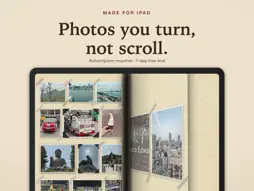
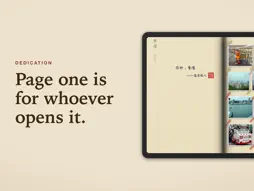
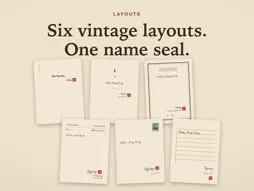
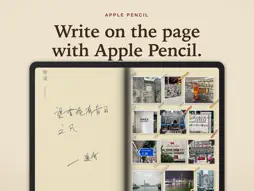
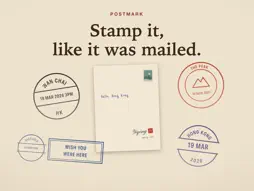
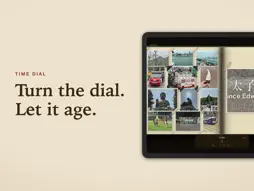
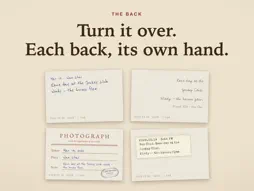
Time Album requires a subscription. A 7-day free trial is included; after the trial, an annual subscription is required to continue using the app. All features below are included in that subscription. Give the photos you want to keep a book worth opening slowly. Time Album is a vintage photo album for iPhone, iPhone Duo, and iPad. Choose a cover, give your book a title, and gather the photos of a trip, your family, or a chapter of your life. Paper textures, a shaded spine, notes on the backs of prints, and the traces of time give each album its own story. Duo ready: a bookshelf outside, two pages inside Choose an album and preview its cover on the wooden bookshelf on iPhone Duo's outer screen. Unfold in landscape to open a two-page spread. Unfold from the bookshelf to stay there, or choose a book first to open that album. Before pressing a postmark onto the paper, drag its preview across the spine to find a place on either page. A reading experience for each screen Other iPhones offer single-page reading, with forms and controls adapted for smaller screens. On iPad, read one page in portrait or two pages in landscape, and use Apple Pencil to write on pages and photo backs. Pages follow your touch, with paper shadows and optional page-turning sounds. Arrange photos like printed photographs Import photos from your library, organize them by shooting date, or adjust their position, size, and angle by hand. Choose borders and mounts to compose a page. Enlarge a photo, then swipe horizontally to turn it over and see its original date, time, and location information when available. Keep the stories around the photos Write a dedication and choose from vintage layouts, signatures, and name seals. Type dedications and photo-back notes on iPhone. On iPad, type or write with Apple Pencil. Choose a back style for each photo, then add a travel postmark to mark the moment. Let time leave its traces Paper, photos, and ink develop aging effects over time. Turn the time dial to preview the album years from now, then return to the present. Your photos and words remain preserved; the effects belong to the album. Find memories by time, place, and person Build albums and chapters from photo dates and locations. Browse album photos as a film roll in a contact sheet, then jump back to the corresponding page. On-device recognition helps you browse by person. You can also cover a person's face with ink inside the album and bring them back later. Keep a book, or pass it on Turn on iCloud Sync to keep complete album files in the Time Album folder on iCloud Drive and use them on other devices signed in to the same Apple Account. Each .tcalbum file keeps original photo resources, handwriting, and layouts together. Share a complete file from the app or Files, then open it in Time Album. Complete files can include original photos and capture locations. The originals in your system photo library stay untouched. Layouts, handwriting, face coverings, and aging effects are stored separately in the album. Recognition runs on your device; photos and recognition results are not uploaded to our servers. Content synced with iCloud is stored in your own iCloud, where we can't see it. A place to keep the moments worth turning back to. Terms of Use: https://www.apple.com/legal/internet-services/itunes/dev/stdeula/ Privacy Policy: https://privacy.yiqingsir.com/timealbum/
What's New
Version 2.2.0 2026-11-13
This update gives each album its own complete file, including original photos, and refines iCloud sync and the iPhone Duo experience. New • Complete album file...This update gives each album its own complete file, including original photos, and refines iCloud sync and the iPhone Duo experience. New • Complete album files keep original photos, covers, layouts, dedications, handwriting and decorations together. Newly added photos retain independent originals instead of only photo-library references. • Manage albums in the Time Album folder in Files, and share whole albums from the app or Files. Improved • iCloud now syncs complete album files, saving and uploading after content edits with fewer unnecessary checks when nothing changes. • Automatic album layouts adapt to each device's page capacity while retaining photo-back notes and Pencil handwriting. • Duo cover protection reduces accidental taps, and cover content avoids the status area. Unfolding from the shelf stays on the shelf. Settings and editing controls are easier to reach. • Matching larger previews for creating and editing covers, easier photo flipping, and more convenient keyboard dismissal. • Simpler Settings and Support. Chinese and English guides keep full-screen paper, use native back controls, and combine short entries to reduce page turns. Fixed • Permission errors when saving some album files, and completed counts that included failed uploads. • Improved multi-device conflict and duplicate-album handling. Technical Analysis
Package Overview Basic metadata
Bundle ID
cn.yiqingsir.timealbum Current Version 2.2.0
Minimum iOS 18.0
Package Size App Store Size
Package Metadata 0 / 0 version records
Detailed binary, privacy manifest, framework, and Info.plist results have not been indexed for this package yet. The verified App Store and archive metadata above remains available.
Known Version Records
0 version records with stored package metadata
Stored metadata does not guarantee a package is currently available to download.
| Details | Version / IDs | Version date | Action |
|---|