
Preview
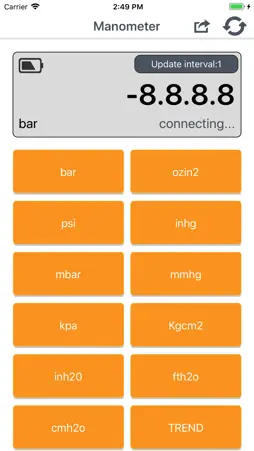

Description
Application of software 1)Connect Bluetooth: power on gauge->turn on Bluetooth function of mobile phone->turn on manometer APP->press “DIF” key on gauge for a long time until upward gauge shows “REL”. When manometer software is installed and turned on for the first time, it enters into “BLE Device List” interface by default rather than main interface. Press backspace key of mobile phone to return to main interface. When manometer software is turned on later, it will directly enter into main interface. When many gauges with Bluetooth function are working, press icon under main interface and manometer enters into “BLE Device List” interface to check or select gauge you want to connect. Note: after the device is automatically shut off, should open Bluetooth data transmission according to the above methods.
What's New
Version 1.5 2018-12-05
black out bugs fixed. Technical Analysis
Package Overview Basic metadata
Bundle ID
tw.com.bnct.Manometer Current Version 1.5
Minimum iOS 8
Package Size App Store Size
Package Metadata 1 / 6 version records
Detailed binary, privacy manifest, framework, and Info.plist results have not been indexed for this package yet. The verified App Store and archive metadata above remains available.
Known Version Records
1 version record with stored package metadata • 6 known version records
Stored metadata does not guarantee a package is currently available to download.
| Details | Version / IDs | Version date | Action |
|---|---|---|---|
 1.93 MB | v1.5 App Store ID: 829471282Build: 1 | 2018-11-29 18:40:28 | Get Version |
| Not archived | App Store ID: 828710505 | Unknown | Request Version |
| Not archived | App Store ID: 828381156 | Unknown | Request Version |
| Not archived | App Store ID: 824309394 | Unknown | Request Version |
| Not archived | App Store ID: 824114685 | Unknown | Request Version |
| Not archived | App Store ID: 823772614 | Unknown | Request Version |