
Preview








Description
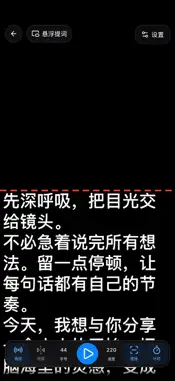
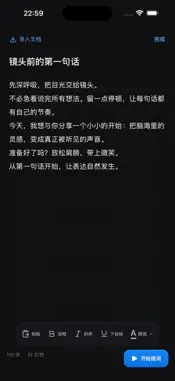
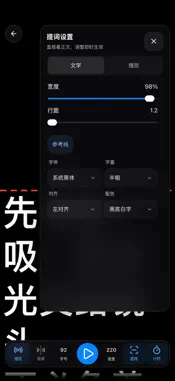
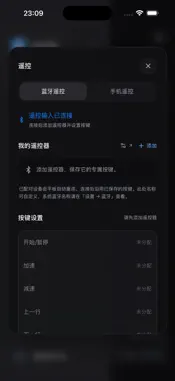
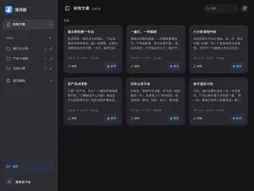
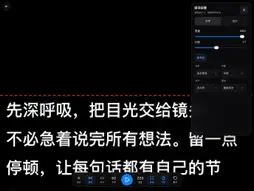
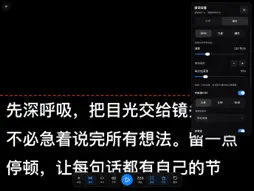
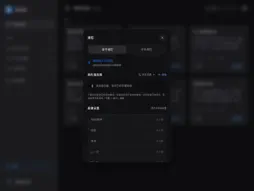
CooDesk is a completely free teleprompter for iPhone and iPad. Use the English interface to read scripts while filming videos, teaching, livestreaming or giving presentations. READ AT YOUR PACE Use big, full-screen text with adjustable font size, spacing, scroll speed and a reading guide. Choose steady scrolling or page-by-page prompting, and mirror the script for a teleprompter rig. Voice-paced scrolling responds to your reading rhythm. Word-position matching is available for Mandarin scripts. KEEP YOUR SCRIPT FLOATING Use Picture in Picture to read over Camera or other supported apps. Move the floating window near the lens and adjust its text size independently. Voice-paced scrolling in the floating window requires iOS or iPadOS 26 or later. CONTROL THE TAKE Scan a QR code with a second phone on the same accessible local network. Its browser becomes a remote that can play, pause, scroll and switch scripts. You can also map buttons on compatible Bluetooth remotes or keyboards. Pair a compatible Sony camera to start or stop recording while CooDesk is in the foreground. When the camera confirms that it's recording, a red cue lights up along the bottom edge of the prompter. FIND AND SYNC SCRIPTS Organize scripts in folders, pin the ones you use often and search by title or text. Import Word and plain-text files or export to Word. Sign in to CooDesk to receive updates to your cloud scripts. Edits you make in the teleprompter remain local, so your cloud originals stay intact. Basic script editing and local prompting work without an account. Some advanced features require sign-in.
What's New
Version 2.0.0 2026-11-23
• Voice following can track your place in a Chinese script or scroll at your speaking pace. It is also available in floating prompting on iOS and iPadOS 26 or l...• Voice following can track your place in a Chinese script or scroll at your speaking pace. It is also available in floating prompting on iOS and iPadOS 26 or later. • Customize compatible Bluetooth remote buttons for text size, script switching and voice following. When a paired compatible Sony camera confirms recording, an enabled red indicator appears along the screen edge. • Long-press a script to select and manage multiple scripts. The script library and cloud updates have also been improved. • Start basic prompting without an account. Sign in to use voice following, Bluetooth remotes and camera control. Technical Analysis
Package Overview Basic metadata
Bundle ID
com.gezitai.prompter Current Version 2.0.0
Minimum iOS 17.0
Package Size App Store Size
Package Metadata 0 / 0 version records
Detailed binary, privacy manifest, framework, and Info.plist results have not been indexed for this package yet. The verified App Store and archive metadata above remains available.
Developer Information
Known Version Records
0 version records with stored package metadata
Stored metadata does not guarantee a package is currently available to download.
| Details | Version / IDs | Version date | Action |
|---|