Preview







Description
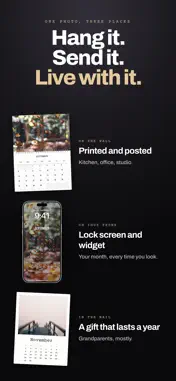
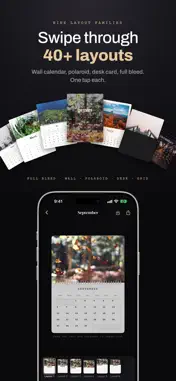
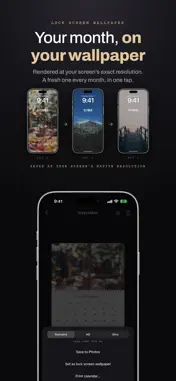
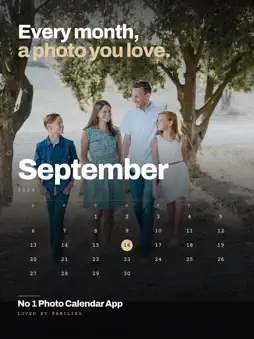
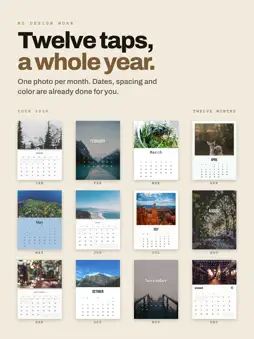
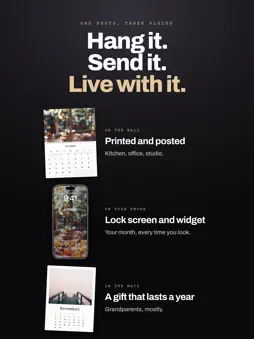
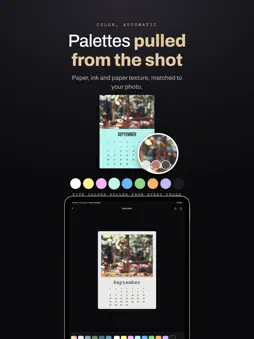
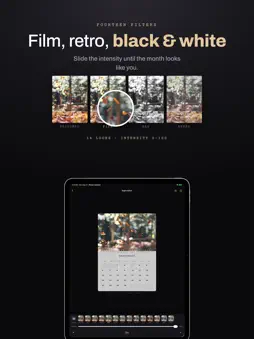
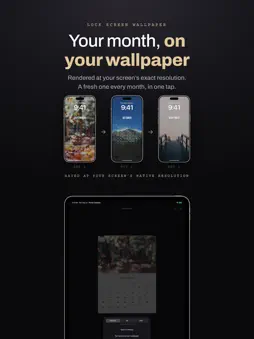
Your camera roll already knows what happened this year. Photo Calendar turns it into a calendar: one photo for every month, placed in the month it was actually taken, and shown where you look every day: your Lock Screen, your Home Screen, or your wall. WHY THIS EXISTS You take thousands of photos and almost never see them again. Store-bought calendars are someone else's pictures. Ordering a custom one means uploading, waiting, and paying per copy, and it is out of date the moment it arrives. Photo Calendar makes the calendar on your phone, from photos that are already there, in about a minute. THE PART NOBODY ELSE DOES Connect your library and the app reads the date each photo was taken, sorts a year into twelve months and suggests a cover for each. The trip in March is on March. The birthday in July is on July. Swap any photo and the calendar, palette and note follow. Twelve photos, one style, and the whole year is done. Months you edit always stay yours. WHERE IT LIVES • On your Lock Screen. A wallpaper that changes with the month, rendered at your screen's exact resolution. A Live Photo cover becomes a Live wallpaper that plays when you press. • On your Home Screen. The month you made, as a widget, with today's date ringed. It switches to the next month on the 1st by itself. • On your wall. A 12-page 300 dpi PDF laid out for A4 or A5, ready for any printer or print shop. WHO IT IS FOR • Parents keeping a baby's first year, one month at a time • Couples who want the year they had together on the wall • Travelers with a trip they do not want to forget • Anyone who changes their Lock Screen more than once a month • A printed gift for grandparents that took you an evening, not a week MAKE IT YOURS • 9 layouts: Wall, Polaroid, Desk, Grid and more, switched in a tap • 14 filters with adjustable strength, from Film and Retro to Golden and B&W • Paper textures with adjustable grain, 6 fonts, custom paper and text colors • Circle the days that matter with one of 15 marks, or fill a date with your photo • Add a note to the month, choose the week start, drag and pinch everything into place • Save a look as a template and apply it to any other month PRIVATE, AND ON BOTH SCREENS Everything runs on your device. Your photos never leave it, and there is no account to create. One purchase works on iPhone and iPad, with optional iCloud backup so your months stay in sync. FREE AND PREMIUM Free includes layouts, marks, notes, the widget and standard export with a small corner signature. Premium unlocks every layout, texture and filter, HD 3000 px and Ultra 4000 px export, Lock Screen wallpaper, Live Photo export, the full-year print PDF and clean export. Premium: $1.99/week, $3.99/month, $14.99/year, or one lifetime purchase of $24.99. Subscriptions renew automatically unless cancelled at least 24 hours before the end of the current period. Payment is charged to your Apple ID account; manage or cancel anytime in your Apple ID settings. Privacy Policy: https://elevenapril.com/privacy Terms of Use: https://elevenapril.com/terms
What's New
Version 1.1 2026-10-23
Week mode is here: one page per week, so every week's photos become a calendar of their own. Switch between Year | Month | Week right on the home screen — years... Technical Analysis
Package Overview Basic metadata
Bundle ID
com.elevenapril.Photo-Calendar Current Version 1.1
Minimum iOS 18.0
Package Size App Store Size
Package Metadata 0 / 0 version records
Detailed binary, privacy manifest, framework, and Info.plist results have not been indexed for this package yet. The verified App Store and archive metadata above remains available.
Developer Information
Known Version Records
0 version records with stored package metadata
Stored metadata does not guarantee a package is currently available to download.
| Details | Version / IDs | Version date | Action |
|---|