
Preview





Description
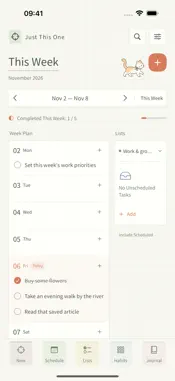
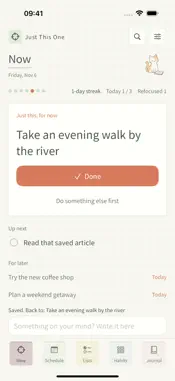
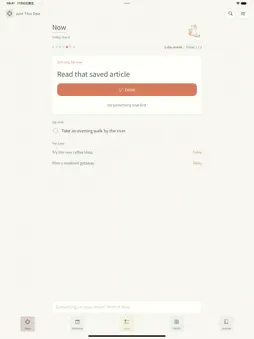
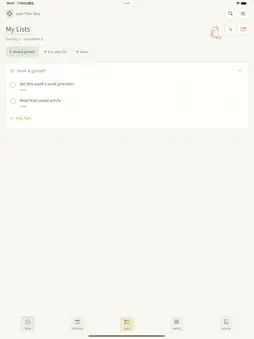
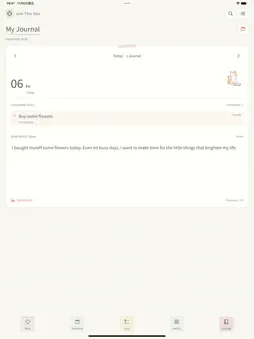
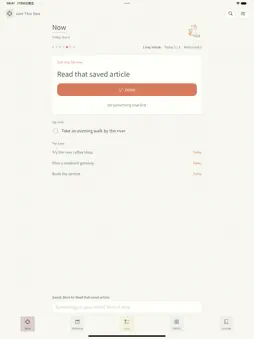
Just This One answers one question: what should you do right now? NOW The home screen holds one task. Mark it done and the next one steps in. ONE LINE WHEN YOUR MIND WANDERS Something else pops into your head? Write it at the bottom. It goes to For Later, and the app shows you what to get back to. No list or date to pick. When today's plan is done, your saved thoughts step in one by one. PROGRESS YOU CAN SEE Your streak, the days you finished something this week, today's progress, and how many times you brought your attention back. A JOURNAL FOR EACH DAY What you finish appears in that day's journal. Add your own text and photos, and look back at earlier days. PLANNING WHEN YOU WANT IT Lists, this week's plan, repeating tasks, habit check-ins and list templates are there when you feel like organizing. LOCK SCREEN When enabled, the Lock Screen widget shows today's tasks, with the current one first. YOUR DATA Content is stored on your device by default. You can enable iCloud to sync to your own iCloud account, or export a full backup. No account is required. FREE FEATURES & MEMBERSHIP Scheduling this week, basic lists, text journals, your first three habits, iCloud sync and data export are free. Planning beyond this week, repeating tasks, additional habits, journal photos, importing list templates and two extra fonts require membership. Monthly, annual and lifetime plans unlock the same features. Eligible Apple accounts can try monthly membership free for seven days. Unless canceled, it automatically renews every month after the trial at the monthly price shown on Apple's purchase screen until canceled. To avoid renewal, cancel in your Apple Account subscriptions at least 24 hours before the trial ends. Annual membership renews each year. Lifetime membership is a one-time purchase. Privacy Policy: https://jdiary.puzzhive.com/en/privacy.html Terms of Use: https://www.apple.com/legal/internet-services/itunes/dev/stdeula/
What's New
Version 1.1 2026-11-07
J-Type is now Just This One. · A new Now screen that shows one task at a time · Write one line when your mind wanders, then get back to what you were doing · Wh...J-Type is now Just This One. · A new Now screen that shows one task at a time · Write one line when your mind wanders, then get back to what you were doing · When today's plan is done, saved thoughts step in automatically · Streak, weekly progress and refocus count · Scheduling this week is now free · Erase items permanently from Recently Deleted · Tapping a reminder opens its task Technical Analysis
Package Overview Basic metadata
Bundle ID
local.jtype.JDiary Current Version 1.1
Minimum iOS 17.0
Package Size App Store Size
Package Metadata 0 / 0 version records
Detailed binary, privacy manifest, framework, and Info.plist results have not been indexed for this package yet. The verified App Store and archive metadata above remains available.
Known Version Records
0 version records with stored package metadata
Stored metadata does not guarantee a package is currently available to download.
| Details | Version / IDs | Version date | Action |
|---|