
Preview


Description
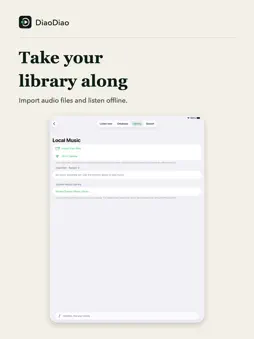
DiaoDiao is a personal music player for iPhone and iPad. Import your music from Files, iCloud Drive, or another file provider. Transfer tracks from your computer over the same Wi-Fi network and listen to imported music offline. Set up your queue, shuffle or repeat tracks, and use a sleep timer. Keep listening in the background and control playback from the Lock Screen. Follow lyrics when your music source provides them. Connect your own compatible music server to browse and search your library. Personalize the player with music themes and Home Screen widgets. DiaoDiao plays the music you provide from your files or server.
What's New
Version 1.0.5 2026-11-25
• Control music on your iPhone from Apple Watch. See the current track and playback progress, pause, resume, or skip tracks. • Tap Play Something on Home to sta...• Control music on your iPhone from Apple Watch. See the current track and playback progress, pause, resume, or skip tracks. • Tap Play Something on Home to start shuffling. The play queue now shows the total track count in the player and in CarPlay. • CarPlay Now Playing displays synced lyrics when timed lyrics are available. The CarPlay interface follows the language set in DiaoDiao. • Set a backup address for WebDAV. DiaoDiao tries it automatically if the primary address is unreachable. The port is now optional for Synology Audio Station connections. • Fixed an issue where Shortcuts error messages did not follow the app language. Technical Analysis
Package Overview Basic metadata
Bundle ID
com.music.bzy Current Version 1.0.5
Minimum iOS 17.6
Package Size App Store Size
Package Metadata 0 / 0 version records
Detailed binary, privacy manifest, framework, and Info.plist results have not been indexed for this package yet. The verified App Store and archive metadata above remains available.
Known Version Records
0 version records with stored package metadata
Stored metadata does not guarantee a package is currently available to download.
| Details | Version / IDs | Version date | Action |
|---|