
Preview
Description
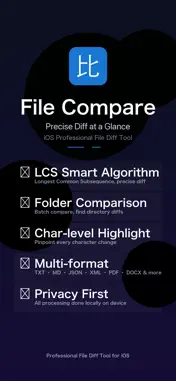
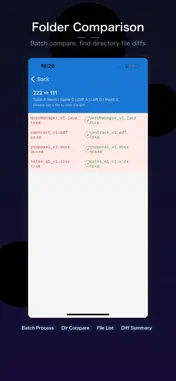
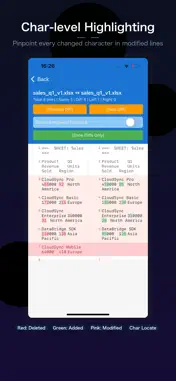
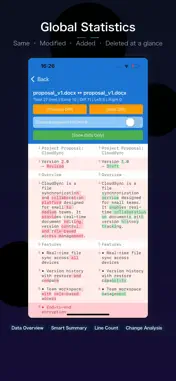
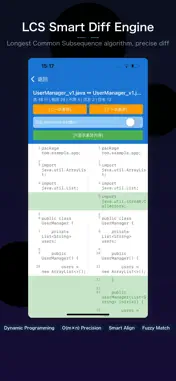
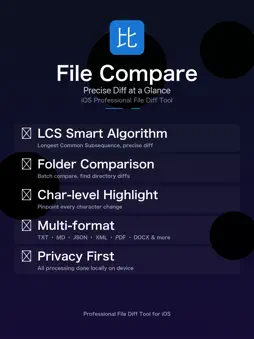
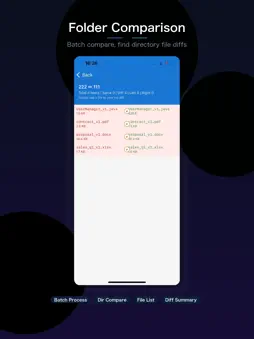
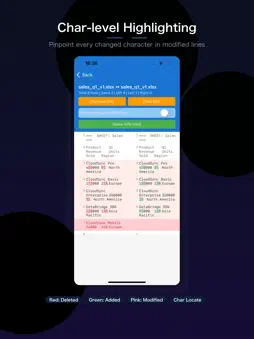
A professional, lightweight file & folder comparison tool supporting line-by-line difference analysis for text files, Word, Excel, PDF and more formats. It helps developers, editors and proofreaders quickly locate content modifications. Core Features ▸ File Comparison Select two files for left and right panes, start comparison with one click. The app automatically parses file content, compares line by line and highlights all discrepancies: added lines, deleted lines and modified lines are clearly displayed. Character-level highlighting is available to pinpoint every inserted, deleted or revised character. ▸ Folder Comparison Recursively scan two folders and list the difference status of all files: identical, different, exists only on the left, exists only on the right. File size and modification timestamps are displayed, ideal for version comparison and backup verification. ▸ Supported Formats Plain text & code files: .txt, .md, .json, .xml, .csv, .yaml, .html, .css, .js, .ts, .swift, .java, .py, .c, .cpp, .h and over 50 other code & text formats Office documents: Word (.docx), Excel (.xlsx), PDF (.pdf) All formats support mixed Chinese & English text ▸ Difference Navigation Comparison results are displayed side-by-side with a dedicated sidebar navigation panel, featuring: Quick jump to Previous / Next difference Filter mode to show only differing content Difference counter (e.g., Diff 3 of 15) ▸ Premium Membership Benefits Free users may only compare plain text files with a 1MB single-file limit and 10 daily uses. Upgrade to Premium for unlimited access, unlock folder comparison, Word/Excel/PDF support, and remove all file size & usage caps. ▸ Internationalization Fully bilingual Chinese & English UI. Automatically follows system language, with manual language switching available in Settings. ▸ Privacy & Security All file comparison tasks run locally on your device; no file data is uploaded externally, and no network permission is required. Ad-free, zero tracking, no account registration mandatory. Use Cases Code Review – Rapidly inspect code changes Document Proofreading – Compare draft & final versions of contracts and copywriting Data Processing – Spot disparities in CSV, JSON datasets Version Management – Track content changes between folder versions Translation Proofreading – Line-by-line cross-check of source text and translations This file comparison tool makes every single difference instantly visible. Terms of Service: https://www.apple.com/legal/internet-services/itunes/dev/stdeula/ Privacy Policy: https://xiaobingliu2026.github.io/privacy-policy/compare-en.html
What's New
Version 2.0 2026-11-15
Now available on Mac — with a better folder comparison experience. Technical Analysis
Package Overview Basic metadata
Bundle ID
com.lxb.filecompare.iso Current Version 2.0
Minimum iOS 15.0
Package Size App Store Size
Package Metadata 0 / 0 version records
Detailed binary, privacy manifest, framework, and Info.plist results have not been indexed for this package yet. The verified App Store and archive metadata above remains available.
Known Version Records
0 version records with stored package metadata
Stored metadata does not guarantee a package is currently available to download.
| Details | Version / IDs | Version date | Action |
|---|