Preview

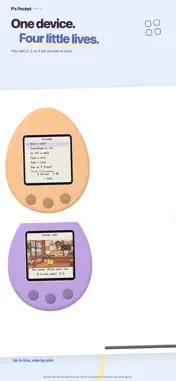
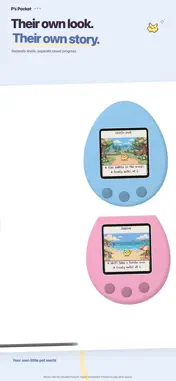


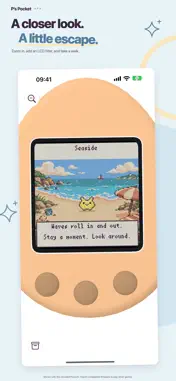





Description
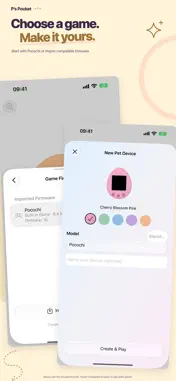
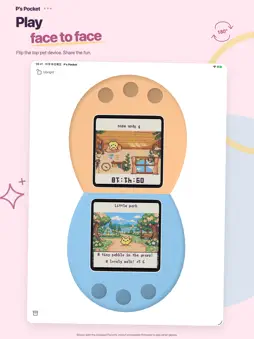
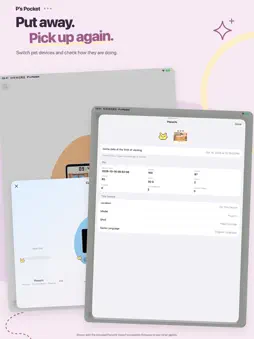
Bring your virtual pets along on iPhone and iPad. Import compatible firmware, care for your pets, and keep each device's progress in your cabinet. Or start with Pocochi, the original playable game included in the app. • A little help from Pocochi Choose a character to aim for and see current stats, growth goals, and care suggestions based on your game records. Tap the mascot to speed up dialogue, or hold it to open goals and progress. Firmware-specific guidance requires supported imported firmware. • An album of your time together Record characters you encounter and raise, collected pieces, achievements, and growth milestones. Make a postcard from a character's page or create a group card. Choose a background, share the result, or save it as an image or Live Photo. Artwork for compatible games is read from your imported firmware; Pocochi uses original artwork. • One cabinet, independent devices Create up to 20 pet devices, each with its own progress and appearance. Tap a device's title to view details or rename it; hold and drag to organize. Play up to four devices in split screen. With two devices, rotate one for face-to-face play. • Play with friends nearby Choose multiplayer inside a compatible game and the app connects automatically. Lend or return a device face to face: the lender's copy stays locked until it returns with the latest progress. Pocochi does not support game-to-game multiplayer. • Look through game records View current pet details, care stats, friends, items, collections, and photo diaries. Available information depends on your firmware and saved records. • Care at your own pace Real-time Growth accounts for time away. Attentive Care pauses at supported calls or new care events and waits for you to return. With permission, local notifications can report events during background updates. iOS schedules background work, so updates and notifications may be delayed; continuous operation and fixed notification times are not guaranteed. • Make yourself at home Choose a minimal or detailed 3D shell, different colors, a full-device view or a larger screen, and an optional LCD filter. Add screen widgets in several sizes or a separate button widget. The interface follows your system's light or dark appearance. • Keep your progress Progress saves automatically. Optional iCloud backup and whole-app restore include your cabinet, games, and player profile. You can also back up individual devices to a folder you choose. If something goes wrong, export a diagnostic report, choose whether to attach one device's save, and decide where to save or send it. Reports are never uploaded automatically. Interactive lessons help you get started and learn individual features. You can exit and revisit them whenever you like. Commercial game firmware is not included. To play those games, import a compatible, complete original firmware file that you are entitled to use. Chinese interfaces offer an optional Simplified Chinese patch for matching imported firmware. A Traditional Chinese firmware patch is not currently available, and some content may remain in its original language.
What's New
Version 2.1 2026-11-10
The big addition: Deco Pierce support • Import and use 17 supported Deco Pierce chips. Settings > Game Data now provides one place to import firmware, chips an...The big addition: Deco Pierce support • Import and use 17 supported Deco Pierce chips. Settings > Game Data now provides one place to import firmware, chips and ZIP archives, with automatic file recognition and duplicate detection. Matching patches can prepare Simplified Chinese chip editions automatically. • Long-press the heart-shaped Deco at the top of your device to open a cloud of 3D chip cards. Tap a card to switch chips. Covers are generated from your imported chip data, and the selector shows chips that match the device’s game language. • Import each chip once and use it across devices, with separate chip records for each device. Translation updates also refresh existing chip copies while preserving your progress. More new features • Experimental touch controls let you select icons and text-menu items directly on supported screens, with arrow taps to turn pages. • Experimental fast-forward advances to the next detected event, or until you stop it manually. Using it does not restrict normal album unlocks. Touch controls and fast-forward are off by default and can be enabled in Experimental Features. • Sound & Haptics brings together game sound, volume and app-wide haptic feedback controls. • Pocochi now guides you with speech bubbles and red highlights, including hands-on chip import and long-press tutorials. The new Help page links to online help and email support. Improvements • Faster emulator execution and offline catch-up reduce wake-up waits when returning to the app or switching devices, while preserving normal growth and game events. • Improved chip-cover loading, cloud paging and heart animations, plus refined shell colors and lighting. • Improved recovery and wake-up stability when playing with multiple devices or reopening after an unexpected exit. Chip data must be imported by the user. Commercial game firmware and chip data are not included. Technical Analysis
Package Overview Basic metadata
Bundle ID
com.litware.pspocket.ios Current Version 2.1
Minimum iOS 16.0
Package Size App Store Size
Package Metadata 0 / 0 version records
Detailed binary, privacy manifest, framework, and Info.plist results have not been indexed for this package yet. The verified App Store and archive metadata above remains available.
Developer Information
Known Version Records
0 version records with stored package metadata
Stored metadata does not guarantee a package is currently available to download.
| Details | Version / IDs | Version date | Action |
|---|