Preview



Description
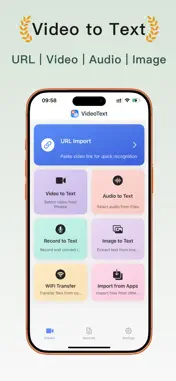
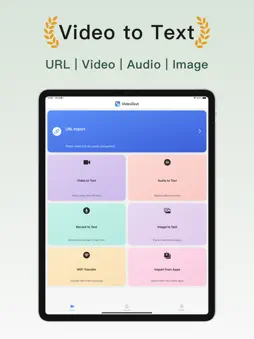
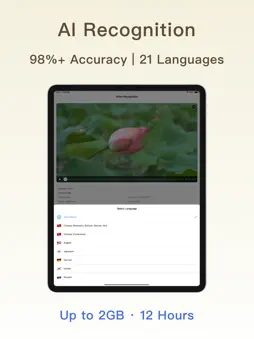
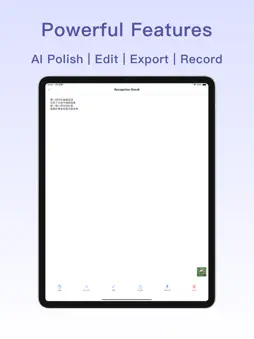
【VideoText】Intelligent Speech Recognition Expert A professional video and audio transcription tool powered by advanced AI speech recognition technology. Supports multiple methods including links, videos, audio, images, and recordings for fast text conversion with accuracy exceeding 98%. Your intelligent assistant for short video script extraction, meeting records, and study notes. 【Core Features】 • Link to Text: Paste video links to extract scripts directly without downloading • Video to Text: Select videos from album for quick subtitle and script extraction • Audio to Text: Support MP3, WAV, M4A and various audio formats • Image to Text: Take photos or select images to accurately recognize text • Recording to Text: Real-time transcription while recording, supports 20+ languages including Chinese, English, Japanese, Korean, and French • WiFi Transfer: Wireless file transfer between computer and phone without cables • App Import: Share files directly from other apps with one-tap import 【Intelligent Features】 • AI Speech Recognition: Accurately identifies voices and background sounds with 98%+ accuracy • Smart Punctuation: Automatically detects pauses, adds punctuation marks and modal particles • Long Video Processing: Supports files up to 12 hours and 2GB with ultra-fast conversion • Multi-language Support: Supports Chinese (Mandarin, Cantonese, Sichuanese, Minnan, Wu dialect), English, Japanese, Korean, French, German, Spanish and 20+ languages for recognition and translation 【Convenient Tools】 • One-tap Copy: Quickly copy recognition results to clipboard • AI Polish: Intelligently optimize text expression and improve copywriting quality • Online Editing: Real-time preview and edit conversion results • Quick Export: One-tap export in TXT format • File Management: Smart categorization with search and sorting • Teleprompter Recording: Record videos while reading teleprompter, essential for content creators 【Use Cases】 • Content Creation: Quickly extract scripts from trending videos on short video platforms, analyze viral content • Study Notes: Convert course videos to text, organize online class notes, assist foreign language learning • Business Meetings: Transcribe meeting recordings and interviews, efficiently produce meeting minutes • Film Subtitles: Extract video subtitles, create bilingual subtitles, separate audio materials • Script Reference: Extract popular dialogues, reference quality copywriting, inspire creative adaptations 【Full Format Support】 • Video Links: Direct parsing of mainstream short video platform links • Video Formats: MP4, MOV, AVI, MKV, FLV, M4V, 3GP, WebM, MPEG, etc. • Audio Formats: MP3, WAV, AAC, M4A, FLAC, WMA, OGG, etc. • Image Formats: JPG, PNG, HEIC, WebP, etc. Whether you're a content creator, student, professional, or film industry worker, VideoText can easily meet your needs. Paste links, recognize quickly, transcribe accurately - making text extraction simple and efficient! Download now and start your intelligent transcription journey! -------------------- VideoText offers Pro subscription service to unlock all premium features. 【Pro Subscription】 • Subscription Period: Weekly subscription is 1 week, monthly subscription is 1 month • Payment: Charged to iTunes account upon purchase confirmation • Cancel Renewal: To cancel renewal, manually disable auto-renewal in iTunes/Apple ID settings at least 24 hours before current subscription expires • Renewal Rules: Apple iTunes account will be charged 24 hours before expiration unless auto-renewal is disabled 24 hours before the current subscription period ends Privacy Policy: https://sparkleios.github.io/Sparkle/VideoTextPrivacy.html Terms of Service: https://sparkleios.github.io/Sparkle/VideoTextUserAgreement.html
What's New
Version 1.0.4 2026-09-12
1. Added batch deletion and improved the user experience. Technical Analysis
Package Overview Basic metadata
Bundle ID
com.zhangning.converter Current Version 1.0.4
Minimum iOS 15
Package Size App Store Size
Package Metadata 0 / 3 version records
Detailed binary, privacy manifest, framework, and Info.plist results have not been indexed for this package yet. The verified App Store and archive metadata above remains available.
Developer Information
Known Version Records
0 version records with stored package metadata • 3 known version records
Stored metadata does not guarantee a package is currently available to download.
| Details | Version / IDs | Version date | Action |
|---|---|---|---|
| Not archived | App Store ID: 881652942 | Unknown | Request Version |
| Not archived | App Store ID: 881347013 | Unknown | Request Version |
| Not archived | App Store ID: 872015723 | Unknown | Request Version |