Preview




Description
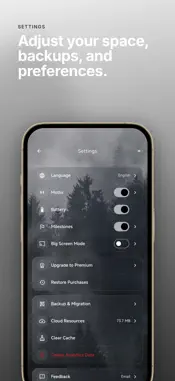
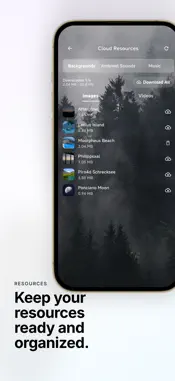
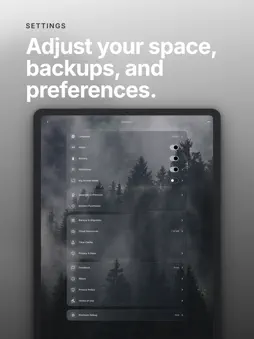
Muntrie turns your screen into one quiet, full-screen focus space. Time, calm scenes, ambient sound, and light planning stay in the same place, so you can begin without jumping between apps. KEEP THE TIME IN FRONT OF YOU - A full-screen digital clock that stays readable from across the desk. - Pomodoro that can move between focus and break periods automatically. - Countdown and count-up sessions with one-tap durations. - A soft chime when a period ends. - Choose the clock color, add a motto line, and show battery or a date counting down beneath the time. CALM SCENES AND SOUND - Photographic scenes: fir forest, alpine and valley lakes, coastline, night sky, and city views. - More than a dozen ambient loops, including rain, thunder, ocean waves, a river stream, birds, crickets, footsteps in a forest, soft wind, a crackling stove, and a city square. - Adjust each ambient sound on its own. - Focus music with repeat and shuffle order. - Parallax: the background drifts gently as you tilt the device. - Save a scene, ambient mix, and music together as a preset you can return to. LIGHT PLANNING IN THE SAME SPACE - Priority Matrix: sort tasks across four quadrants and start a focus session straight from a task. - Milestones: keep meaningful dates counting down, and pin one under the clock. - Life: see the week you are in, the chapter you are living, and what the remaining time can still hold. MORE WAYS TO USE THE SCREEN - Big Screen Mode: show Muntrie on a TV with AirPlay Screen Mirroring on an Apple TV or a compatible TV, and the display stays awake while Muntrie is in the foreground. - QR Backup & Migration: move settings, presets, milestones, the priority matrix, and the current background between devices. The camera is used only to read transfer codes. - Bring in your own images, ambient audio, or music through the system file picker. - Eight languages, light and dark themes with a custom accent color, portrait and landscape layouts, and quiet care for OLED screens during long sessions. COMPLETE EARLY-ACCESS EXPERIENCE During early access, every Muntrie scene, ambient sound, focus track, Life view, and personal media import is directly available with no daily time limit. Your real-world experience helps us keep improving Muntrie. No account is needed. The clock, focus timers, built-in scenes and sounds, and your local settings work offline. Let the screen settle. Start with what is in front of you. Privacy Policy: https://www.muntrie.com/privacy Terms of Use: https://www.apple.com/legal/internet-services/itunes/dev/stdeula/
What's New
Version 1.7.6 2026-11-09
- Save favorite daily quotes and use them as your home motto. - Keep drafts and scroll positions when switching between automatic, favorites and custom mottos. ... Technical Analysis
Package Overview Basic metadata
Bundle ID
com.muntrie.app Current Version 1.7.6
Minimum iOS 15.0
Package Size App Store Size
Package Metadata 0 / 0 version records
Detailed binary, privacy manifest, framework, and Info.plist results have not been indexed for this package yet. The verified App Store and archive metadata above remains available.
Developer Information
Known Version Records
0 version records with stored package metadata
Stored metadata does not guarantee a package is currently available to download.
| Details | Version / IDs | Version date | Action |
|---|