Preview



Description
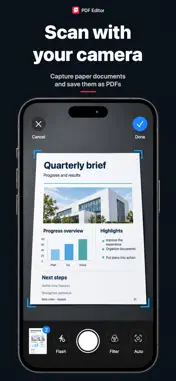
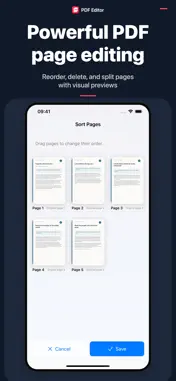
Scan paper documents, merge PDFs and organize everyday paperwork on iPhone and iPad. One-time purchase. No subscriptions, in-app purchases or ads. SCAN AND CONVERT • Scan paper documents with your camera and turn photos into PDFs. • Create PDFs from plain text and Markdown. • Convert supported Word, Excel and PowerPoint files to PDF on your device. MERGE, SPLIT AND ORGANIZE • Combine multiple PDFs into one document. • Split a PDF while keeping the original. • Reorder pages with previews and delete pages you do not need. • Import from Files or compatible apps, then rename and share your PDFs. READ, ANNOTATE AND SIGN • Highlight and underline selectable text, add comments and manage supported annotations. • Draw a handwritten signature or reuse a signature saved on this device. • Insert images and image-based stamps; preview stamp background removal and save templates for reuse. • Position and resize signatures, images and stamps before saving. Image stamps are not certificate-based digital signatures. KEEP DOCUMENTS ORGANIZED • Create nested folders and move multiple PDFs at once. • Sync PDFs and folders with iCloud. Sync is on by default when iCloud is available and can be turned off in Settings. Saved signature and stamp templates stay on this device. • When you enable local network transfer, use a computer browser on the same network to upload, download and manage supported files. PROCESS ON YOUR DEVICE Scanning and file conversion happen on your device. Source files are not uploaded for conversion. PDFs in your library follow your iCloud sync setting; sharing and local network transfer happen when you choose to use them. No separate app account is required.
What's New
Version 2.10.0 2026-11-02
More ways to organize your documents: • Create nested folders, rename and move them, and move multiple PDFs at once. • New iCloud document sync is on by default...More ways to organize your documents: • Create nested folders, rename and move them, and move multiple PDFs at once. • New iCloud document sync is on by default when iCloud is available. View its status or turn it off in Settings. PDFs and folders sync; saved signature and stamp templates stay on this device. • Manage documents from a browser on the same local network: browse folders, choose upload destinations, rename, move and delete items. • Scanning and file conversion remain on-device. PDFs added to your library follow your iCloud sync setting. Technical Analysis
Package Overview Basic metadata
Bundle ID
com.mol.PDFEditor Current Version 2.10.0
Minimum iOS 17.0
Package Size App Store Size
Package Metadata 1 / 3 version records
Detailed binary, privacy manifest, framework, and Info.plist results have not been indexed for this package yet. The verified App Store and archive metadata above remains available.
Known Version Records
1 version record with stored package metadata • 3 known version records
Stored metadata does not guarantee a package is currently available to download.
| Details | Version / IDs | Version date | Action |
|---|---|---|---|
| 192.83 MB | v2.6.0 App Store ID: 859202569Build: 2.6.0 | 2026-09-18 14:24:58 | Paid / Arcade |
| Not archived | App Store ID: 858407489 | Unknown | Paid / Arcade |
| Not archived | App Store ID: 858293813 | Unknown | Paid / Arcade |