
Preview



Description
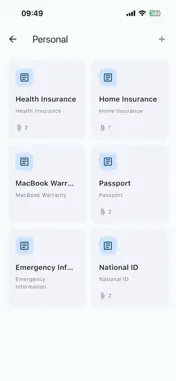
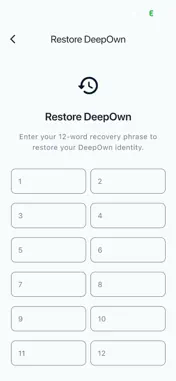
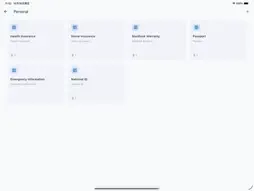
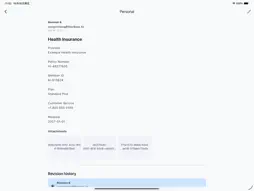
DeepOwn – Secure Private Storage Across Your Devices Think of DeepOwn as a secure USB drive without the USB. Keep your personal information, important documents, notes, and files in an encrypted vault on your own devices. DeepOwn syncs your vaults directly between your devices over the same local network — no central cloud server, no cloud account, and no third party holding your vault data. Available on iPhone, iPad, and Mac. WHY NOT JUST USE CLOUD STORAGE? Cloud storage makes syncing easy, but it usually means storing your files on someone else's servers. Manual encrypted backups give you more control, but require regular updates. DeepOwn offers another approach: keep your vault data on your own devices and sync directly over your local network. Your private information doesn't need to be uploaded to a central cloud server just to stay in sync. ONE PRIVATE PLACE, ON ALL YOUR DEVICES * Keep notes, records, documents, and files in encrypted vaults stored on your own devices. * Access your information from your phone or computer, at home, at work, or on the go. * Devices on the same local network discover each other and sync automatically. * Offline devices catch up when they reconnect. Your information stays under your control, across your devices. KEEP YOUR INFORMATION ORGANIZED Create separate vaults for different parts of your life or work — personal notes, work documents, family records, photos, and other file attachments. Keep related information and files together in one secure place, accessible across your devices. EVERY CHANGE, EVERY REVISION DeepOwn keeps a complete revision history, not just the latest version. Every change creates a new revision, preserving that version's text and file attachments. Your revision history syncs across devices, so you can revisit earlier versions and recover previous text or files whenever you need them. GET STARTED IN FOUR STEPS 1. Set up your identity — create a new identity or restore an existing one with your 12-word recovery phrase. 2. Create your first vault — add your notes, personal information, documents, and files. 3. Install DeepOwn on your other devices — visit https://deepown.app to download DeepOwn for your other devices.. 4. Connect and sync — connect your devices to the same local network and open DeepOwn. Your devices discover each other and sync automatically. Your data. Your devices. Your control.
What's New
Version 1.1.1 2026-11-04
Fixed minor issues and improved overall stability Technical Analysis
Package Overview Basic metadata
Bundle ID
com.necta.deepown.deepown Current Version 1.1.1
Minimum iOS 15.0
Package Size App Store Size
Package Metadata 0 / 0 version records
Detailed binary, privacy manifest, framework, and Info.plist results have not been indexed for this package yet. The verified App Store and archive metadata above remains available.
Developer Information
Known Version Records
0 version records with stored package metadata
Stored metadata does not guarantee a package is currently available to download.
| Details | Version / IDs | Version date | Action |
|---|