
Preview





Description
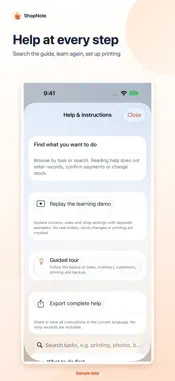
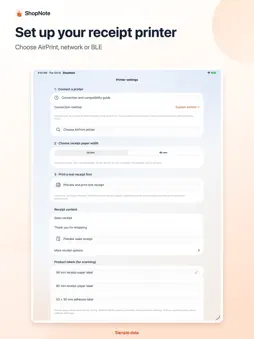
Keep the everyday work of your clothing shop clear. ShopNote brings products, size-based stock, sales and customer records together on iPhone and iPad. See today's overview, record a sale and browse the details. First-use learning uses separate demo data, and searchable help stays available. RECORD SALES Scan an existing product barcode or enter a sale manually. Add several items to one order, record the payment method and customer, or backfill a past sale. Search sale history, reprint a receipt or cancel an order. Cancellation restores only the stock that was actually deducted. ShopNote records payments you have already received; it does not process payments. MANAGE PRODUCTS AND STOCK Keep up to five photos per product, select several from Photos and choose a cover. Browse inventory as photo cards or compact rows. Define clothing, shoe and one-size sizes, record incoming or outgoing stock, and make stock adjustments. Sort by arrival date, stock, purchase cost or selling price. Preview the matching products before applying a bulk discount. SEE YOUR BUSINESS View sales, gross profit, best sellers and inventory value. Keep customer contact details, preferences and purchase history. Gross profit uses the cost recorded for each sale; rent, wages and other expenses are not included. MADE FOR IPHONE AND IPAD iPad layouts adjust to orientation and window width, with more product columns and two-column detail lists when space allows. Each main page keeps its overview above the records and navigation at the bottom. Collapse the action area to see more records. Choose light, dark or system appearance. CHOOSE YOUR LANGUAGE AND CURRENCY Use English, Simplified Chinese, Japanese or Korean. Choose one accounting currency before entering business records, including USD, EUR, GBP, JPY, KRW, CNY and other supported currencies. Sales, costs, reports, receipts and backups use that currency. Language changes preserve product and customer text. Existing amounts are never converted using exchange rates; a populated ledger keeps its original currency. PRINT RECEIPTS AND LABELS Preview before printing with AirPrint or a compatible network / Bluetooth Low Energy ESC/POS receipt printer. Follow the connection guide, choose 58 mm or 80 mm paper and print a test page first. Compatibility depends on the printer model and protocol. Traditional Bluetooth SPP printers do not connect directly to iPhone or iPad; ordinary receipt printers do not calibrate adhesive-label gaps. KEEP YOUR DATA WITH YOU No app account is required. Business records stay on the current device. Enable app lock with Face ID, Touch ID or the device passcode. Export sales CSV or a full business backup. iPhone and iPad keep separate ledgers without automatic sync; use a full backup to move records. Restoring replaces the current ledger, so save a backup before restoring or uninstalling. TRY IT FIRST Your full three-day trial starts on first launch; see the exact end time in the app. Then unlock all features with one purchase, without a subscription or automatic renewal. Existing records remain available to view and export after the trial. Restore purchases with the same Apple Account. Restoration restores access, not business records. The App Store shows your region's purchase price, independently of the shop's accounting currency.
What's New
Version 1.3 2026-10-06
Version 1.3 makes daily shop work clearer: • Native iPad layouts for portrait, landscape and changing window widths. • English, Simplified Chinese, Japanese and...Version 1.3 makes daily shop work clearer: • Native iPad layouts for portrait, landscape and changing window widths. • English, Simplified Chinese, Japanese and Korean interfaces, help and permission explanations. • Consistent overviews and collapsible action areas across sales, stock and customers. • Photo cards or compact inventory rows, with sorting and bulk-operation previews. • Up to five product photos with multiple selection and deletion confirmation. • First-use learning, searchable help and printer connection instructions. • Accounting currency throughout totals, receipts and backups, while preserving existing records. • Corrected access recognition for owners of the original paid versions. Technical Analysis
Package Overview Basic metadata
Bundle ID
com.kirala.yibenwanli Current Version 1.3
Minimum iOS 17.0
Package Size App Store Size
Package Metadata 0 / 0 version records
Detailed binary, privacy manifest, framework, and Info.plist results have not been indexed for this package yet. The verified App Store and archive metadata above remains available.
Developer Information
Known Version Records
0 version records with stored package metadata
Stored metadata does not guarantee a package is currently available to download.
| Details | Version / IDs | Version date | Action |
|---|