
Preview




Description
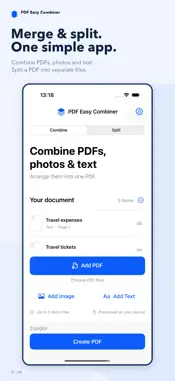
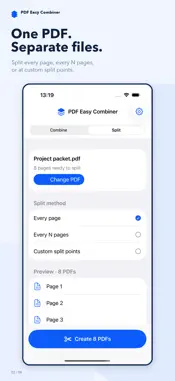
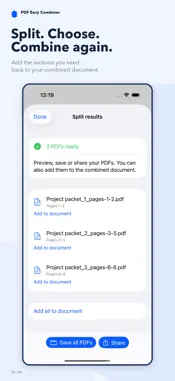
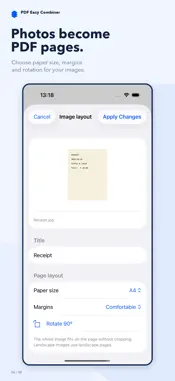
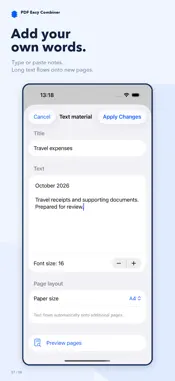
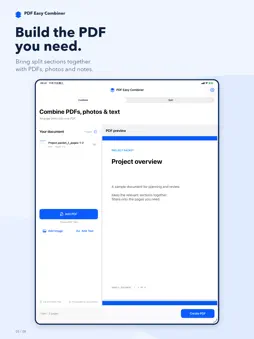
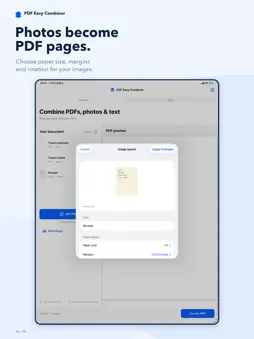
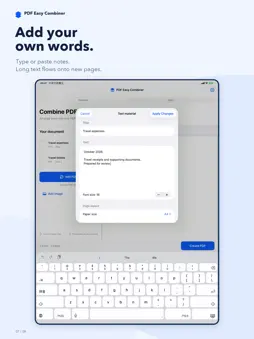
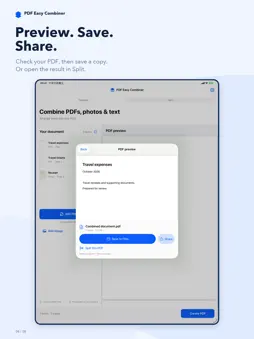
Merge PDFs, photos and text into one document, or split a PDF into the separate files you need. PDF Easy Combiner & Splitter brings both tasks into one simple app. MERGE PDFS, PHOTOS AND TEXT - Join multiple PDF files into one document. - Turn photos and supported static images into PDF pages. - Combine PDF documents with JPG and PNG images. - Type or paste notes with an optional title and adjustable font size. Long text flows onto additional pages automatically. - Arrange whole PDF files, images and notes in the order you want. Each item shows its output page range. THREE WAYS TO SPLIT A PDF - Every page: create a separate PDF for each page. - Every N pages: divide a document into groups of the size you choose. The last file includes the remaining pages. - Custom split points: split after specific page numbers to create sections with different lengths. Review the planned page ranges before creating your files. Preview each result, then save or share the generated PDFs together. Filenames include page ranges to help you tell the files apart. SPLIT, CHOOSE AND COMBINE AGAIN Add individual split results or a batch back to the combined document. Bring selected sections together with other PDFs, photos or your own notes. You can also open a newly combined PDF in Split without exporting and importing it first. LAYOUT THAT RESPECTS YOUR MATERIALS Original PDF pages keep their page sizes. Images fit without cropping, with portrait or landscape pages based on their orientation. Choose A4 or US Letter paper for images and text, adjust image margins, and rotate images. BUILT FOR IPHONE AND IPAD Add PDF documents from Files, images from Photos or Files, and text directly in the app. Switch between Combine and Split while keeping your merge materials in place. Wide iPad layouts show your controls beside a PDF preview. PREVIEW, SAVE AND SHARE Check the combined PDF before saving it to Files or sharing it with another app. Use Save all PDFs or Share to export split results together. LOCAL PROCESSING, NO ADS Your documents are processed on your device. No account or document upload is required for merging or splitting. Original input files are not overwritten, and no ads interrupt your work. FREE ACCESS AND PREMIUM Merge up to 3 materials per document for free. Each PDF file, image or text note counts as one material; a multi-page PDF still counts as one. Try all three split modes on the first 10 pages of a PDF. Free previews and exports include only those pages. Premium unlocks more merge materials and splitting beyond the first 10 pages.
What's New
Version 1.04 2026-11-12
Merge and split in one app. - Split PDFs page by page, every N pages or at custom split points. - Review output page ranges before creating separate files. - P...Merge and split in one app. - Split PDFs page by page, every N pages or at custom split points. - Review output page ranges before creating separate files. - Preview split results, then save or share the batch. - Add individual results or a batch back to your combined document. - Open a combined PDF directly in Split. - Keep combining PDFs, photos and typed or pasted text. Free merging includes up to 3 materials. Free splitting includes pages 1-10. Premium unlocks the full workflow. Technical Analysis
Package Overview Basic metadata
Bundle ID
com.ourcoders.PDF-Combiner Current Version 1.04
Minimum iOS 16.2
Package Size App Store Size
Package Metadata 0 / 3 version records
Detailed binary, privacy manifest, framework, and Info.plist results have not been indexed for this package yet. The verified App Store and archive metadata above remains available.
Known Version Records
0 version records with stored package metadata • 3 known version records
Stored metadata does not guarantee a package is currently available to download.
| Details | Version / IDs | Version date | Action |
|---|---|---|---|
| Not archived | App Store ID: 854407148 | Unknown | Request Version |
| Not archived | App Store ID: 854269272 | Unknown | Request Version |
| Not archived | App Store ID: 854238241 | Unknown | Request Version |