Preview





Description
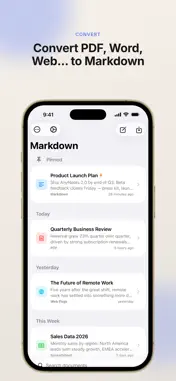
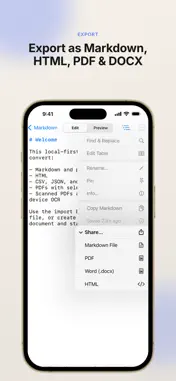
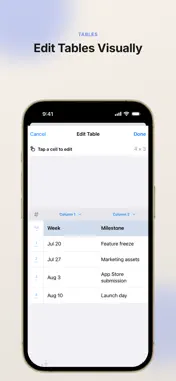
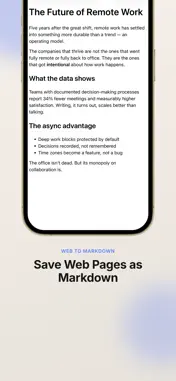
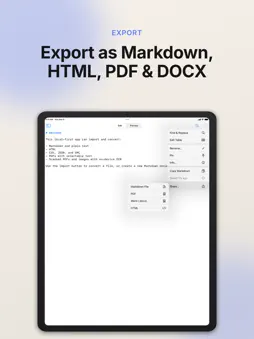
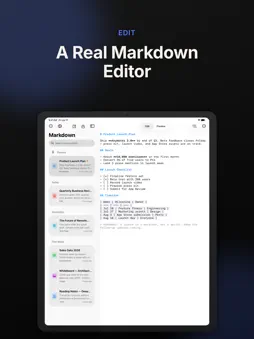
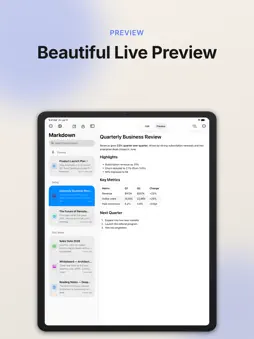
Turn almost any file into clean Markdown — right on your iPhone and iPad, with every conversion running offline. AnyMarkdown converts documents, web pages, and images into well-structured Markdown, then gives you a powerful editor to polish and share the result. Every conversion happens on your device: your files are never uploaded to our servers or to any third party. CONVERT ALMOST ANYTHING • PDF — text extraction with smart headings, plus OCR for scanned pages • Word (docx), EPUB, HTML, RTF • Excel (xlsx) and CSV — turned into Markdown tables • PowerPoint (pptx) — slides become headings and bullets • Images and screenshots — text and tables via OCR • Jupyter notebooks, JSON, XML, and source code files • Web pages — paste a link and get a clean, readable article BUILT FOR MARKDOWN • Full syntax highlighting as you type • Smart lists, task checkboxes, auto-pairing, and a dedicated keyboard toolbar • Visual table editor — no more counting pipes by hand • Document outline for quick navigation • Find & replace • Live preview with adjustable themes ORGANIZE & SHARE • Library with full-text search, pinning, and grouping • iCloud sync keeps your library identical on iPhone and iPad, with an offline copy always kept on device • Send files or links from any app via the share sheet • Export as Markdown, HTML, or PDF • Word count that handles Chinese, Japanese, and Korean correctly PRIVATE BY DESIGN All conversion and OCR run locally on your device — nothing is uploaded for processing. The network is used only when you import a web link, or when your own documents sync through your private iCloud account. No accounts to create, no tracking, no third-party servers. FREE & PRO Try it for free. Upgrade to Pro for unlimited conversions — monthly, yearly, or a one-time lifetime purchase. Whether you are a writer collecting research, a developer keeping notes, or a student turning lecture PDFs into editable notes, AnyMarkdown makes everything Markdown. Terms of Use: https://www.apple.com/legal/internet-services/itunes/dev/stdeula/
What's New
Version 1.6 2026-10-31
Import web pages more easily with a history of your recent links. • Revisit a previously imported web page with one tap. • Remove individual links or clear you...Import web pages more easily with a history of your recent links. • Revisit a previously imported web page with one tap. • Remove individual links or clear your history whenever you like. • Links imported from the share sheet are included too. Technical Analysis
Package Overview Basic metadata
Bundle ID
com.perrylee.Markdown Current Version 1.6
Minimum iOS 17.0
Package Size App Store Size
Package Metadata 0 / 0 version records
Detailed binary, privacy manifest, framework, and Info.plist results have not been indexed for this package yet. The verified App Store and archive metadata above remains available.
Developer Information
Known Version Records
0 version records with stored package metadata
Stored metadata does not guarantee a package is currently available to download.
| Details | Version / IDs | Version date | Action |
|---|