
Preview


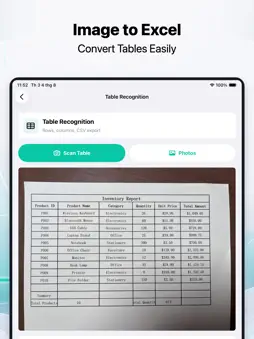
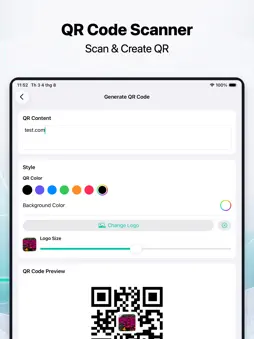
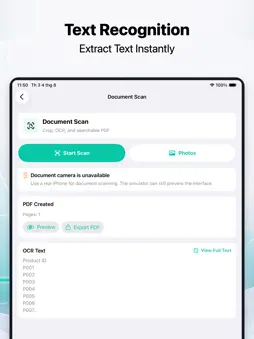
Description
Scanner is a simple and practical smart scanning tool that supports document scanning, OCR text recognition, PDF export, QR code scanning and generation, table recognition, photo counting, AR measurement, and image enhancement. You can quickly scan contracts, notes, receipts, study materials, and paper documents. Scanner automatically enhances image quality, extracts text from images, and creates clear PDF files that are easy to save and share. Whether you are organizing study materials, archiving office documents, or saving everyday paper information, Scanner helps you complete tasks more efficiently. Scanner also supports table structure recognition and CSV export, making it easier to organize paper tables and screenshot data. It supports QR code scanning and recognition, and allows you to generate QR codes from text or links. The photo counting feature can detect similar objects in images, mark them with numbers, and count them. You can also use the AR camera for simple distance measurements. Core scanning, recognition, measurement, and image processing features are performed locally on your device by default. Scanned files, recognition results, and history records are stored on your device, allowing you to preview, search, export, share, or delete them anytime. Scanner is suitable for studying, office work, document organization, file archiving, object counting, simple measurement, and daily record keeping, turning your iPhone into a portable scanner. Privacy Policy: https://jingyan365.cn/scanner/privacy.html
Terms of Use: https://jingyan365.cn/scanner/terms.html
What's New
Version 1.2.0 2026-11-01
Fix known bugs and optimize user experience Technical Analysis
Package Overview Basic metadata
Bundle ID
cn.jingyan365.scanner Current Version 1.2.0
Minimum iOS 17.0
Package Size App Store Size
Package Metadata 0 / 0 version records
Detailed binary, privacy manifest, framework, and Info.plist results have not been indexed for this package yet. The verified App Store and archive metadata above remains available.
Developer Information
Known Version Records
0 version records with stored package metadata
Stored metadata does not guarantee a package is currently available to download.
| Details | Version / IDs | Version date | Action |
|---|