
Preview






Description
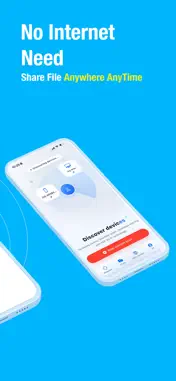
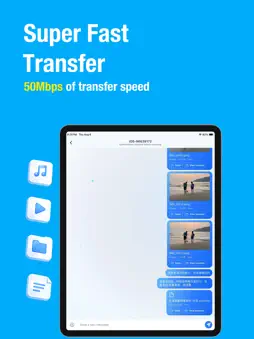
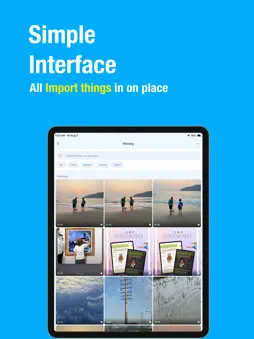
MeDrop is a fast and secure local network file transfer app that lets you chat and share files between iPhone, iPad, and Mac over the same Wi-Fi network. No account. No cloud. No Internet upload. Just open MeDrop, discover nearby devices, and start chatting or transferring files instantly. Key Features Discover Nearby Devices * Automatically scan devices on the same Wi-Fi network * Supports iPhone, iPad, and Mac * One tap to start a conversation Chat & Share Communicate with nearby devices in real time while exchanging: * Text messages * Photos * Videos * Audio files * Documents * Clipboard content * Entire folders Instant Reconnection After your first conversation, your chat history is saved locally. As long as both devices keep MeDrop open in the foreground, you can reconnect instantly from the Chats tab without scanning again. Your Profile Personalize your identity with: * Avatar * Nickname * Status message Profile updates are automatically visible to connected devices on the same network. Smart Receiving Customize how incoming files are handled: * Confirm before receiving files * Automatically save photos * Automatically save videos File History Keep track of transferred files and quickly access previous transfers. More * Join our community * Reddit & Discord support * Send feedback * Rate the app * About Why MeDrop? * Fast local Wi-Fi transfer * Works on iPhone, iPad, and Mac * No account required * No cables needed * No cloud storage * No Internet upload * Private local communication * Simple and intuitive interface Whether you're sending photos to your Mac, sharing documents between iPhones, or transferring folders to an iPad, MeDrop makes local sharing effortless.
What's New
Version 1.0.9 2026-10-26
Bug fixes Technical Analysis
Package Overview Basic metadata
Bundle ID
com.sharedrop.wifiShare Current Version 1.0.9
Minimum iOS 15.0
Package Size App Store Size
Package Metadata 0 / 0 version records
Detailed binary, privacy manifest, framework, and Info.plist results have not been indexed for this package yet. The verified App Store and archive metadata above remains available.
Developer Information
Known Version Records
0 version records with stored package metadata
Stored metadata does not guarantee a package is currently available to download.
| Details | Version / IDs | Version date | Action |
|---|