
Preview


Description
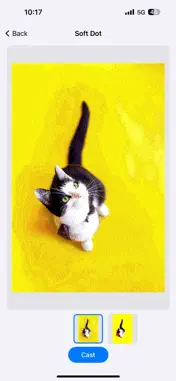
**SPACE INK+ — English Description** SPACE INK+ is a companion app built exclusively for SPACE INK e-ink phone cases. No Bluetooth, no network pairing — just bring your phone close to the device and "print" your images onto the e-ink screen in one tap. **Core Features** · **NFC One-Tap Casting** Tap the back of your phone against the e-ink device. It automatically detects and connects — no tedious pairing, and your picture transfers in seconds. · **Multiple Image Sources** Pick photos from your album, snap a new shot with your camera, or browse featured artwork on the home page to refresh your e-ink display. · **True-to-Life E-Ink Color** Built-in 4-color, 6-color, and grayscale dithering engines automatically match the best color mode for each e-ink model. What you preview is exactly what gets printed — switch freely between "Original" and "Preview Effect" to confirm the result before casting. · **One-Tap Save & Share** Save any image you like back to your album anytime for re-casting or sharing with friends. · **Store & Artwork Center** The home page is continuously updated with curated patterns and artwork, and the store offers e-ink devices and accessories — your styling options go way beyond the case. **How to Use** 1. Open SPACE INK+ and choose "Album," "Camera," or featured artwork on the home page; 2. Confirm the image on the preview page and switch views to check the effect; 3. Press the back of your phone against the e-ink device and tap "Cast Now"; 4. Wait for the transfer to complete — your image stays displayed on the e-ink screen. **Compatible Devices** Requires a SPACE INK series NFC e-ink phone case or display device. The device must support NFC near-field communication; enable the corresponding permissions on your iPhone. **Privacy** We respect your privacy. The app only communicates with your device via NFC when you actively initiate a cast, and only accesses your album and camera with your authorization. Your image data is never uploaded or shared. --- Turn every e-ink screen into your personal canvas — SPACE INK+ lets an always-on display tell your story.
What's New
Version 1.7 2026-10-24
Fixed the issue where taps were unresponsive before restarting casting after a cast session ended. Added countdown timer for casting. Technical Analysis
Package Overview Basic metadata
Bundle ID
com.jzs.spaceink Current Version 1.7
Minimum iOS 18.0
Package Size App Store Size
Package Metadata 0 / 0 version records
Detailed binary, privacy manifest, framework, and Info.plist results have not been indexed for this package yet. The verified App Store and archive metadata above remains available.
Known Version Records
0 version records with stored package metadata
Stored metadata does not guarantee a package is currently available to download.
| Details | Version / IDs | Version date | Action |
|---|