Preview






Description
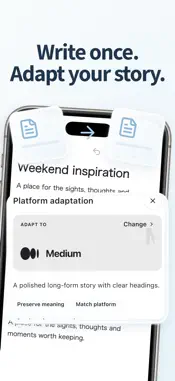
Capture the thought now. Keep shaping it later. NextNote brings quick capture, rich-text editing, voice input, organization, and AI writing tools into one continuous note-taking workflow. Use it for passing ideas, meeting notes, study material, checklists, journals, project plans, or long-form drafts that need room to grow. CAPTURE FROM HOME Open NextNote and start typing without choosing a complicated format first. When typing is not convenient, capture the moment with voice, photos, or video. A quick capture is not a disconnected message or disposable draft. Once saved, it becomes a document you can keep editing, search later, organize, reuse, and share. Move from one sentence to a complete piece of writing without starting over in another tool. NextNote works well for: • Quick notes, memos, and everyday ideas • Meeting notes and work documentation • Class notes, research material, and study guides • Journals, reading notes, and writing drafts • To-do lists, checklists, and project planning • Voice thoughts, photo references, and video clips A FLEXIBLE EDITOR FOR REAL WRITING Create a simple note or develop a longer document in the same editor. Structure your work with headings, paragraphs, rich-text formatting, numbered and bulleted lists, checklists, quotes, and links. Add images, audio, video, drawings, and other content blocks when words alone are not enough. Start rough and refine over time. Save useful structures as templates for recurring meeting notes, weekly plans, study reviews, journals, or content production. Your capture and writing tools stay together, so organizing an idea does not require moving it across several apps. VOICE AND MULTIMEDIA NOTES Use voice when you need to record an idea faster than you can type, then continue working with the text. Keep images, recordings, videos, and drawings beside the written context in one document. This makes it easier to preserve source material, visual references, and the process behind your work. You can also send text, links, images, or files to NextNote from the system share sheet, then place the imported material in a new or existing document. AI WRITING HELP, ONE SWIPE AWAY AI tools live inside the writing flow instead of in a separate chat. Select text and swipe left to use focused actions in the current document: • Polish wording and improve clarity • Expand a short thought into a fuller passage • Highlight keywords and important points • Find and add a relevant visual Each action starts from text you deliberately select, so you can keep your intent and decide what to change. There is no need to copy a passage into another app or interrupt your writing session. SEARCH, ARCHIVE, AND REUSE Search document titles and body text to find an earlier note quickly. Move work you do not need right now into archive folders to keep Home focused. Deleted documents go to Trash first and can be recovered during the retention period. Turn structures you use repeatedly into templates. As your collection grows, search, folders, archives, Trash, and templates give you practical ways to manage personal notes, work records, study material, and creative projects. LOCAL NOTES AND ICLOUD Keep using local notes and core editing tools while offline. Online services are used only when a related feature needs them. On supported Apple devices, you can use iCloud according to your settings to store and sync content, then continue writing across iPhone, iPad, and compatible devices. SHARE, EXPORT, AND PUBLISH When your work is ready to leave the notebook, share it from the document. Send material to other apps, or deliberately publish a document as a web page. You can also prepare adapted versions for different content platforms when that fits your workflow. Terms of Use (EULA): https://www.apple.com/legal/internet-services/itunes/dev/stdeula/
What's New
Version 1.1.12 2026-11-11
Fixed text disappearing after dragging a paragraph to the end of a document. Pressing Return repeatedly after leaving a list no longer brings back empty list ma... Technical Analysis
Package Overview Basic metadata
Bundle ID
com.babycompany.cjcWriter Current Version 1.1.12
Minimum iOS 15.0
Package Size App Store Size
Package Metadata 1 / 15 version records
Detailed binary, privacy manifest, framework, and Info.plist results have not been indexed for this package yet. The verified App Store and archive metadata above remains available.
Price History (USA store)
4 recorded price change points. These are historical observations, not a guarantee of the current price.
| Recorded at | Price | Currency |
|---|---|---|
| 0.0 | USD | |
| 5.99 | USD | |
| 0.0 | USD | |
| 5.99 | USD |
Developer Information
Known Version Records
1 version record with stored package metadata • 15 known version records
Stored metadata does not guarantee a package is currently available to download.
| Details | Version / IDs | Version date | Action |
|---|---|---|---|
| 54.83 MB | v1.1.7 App Store ID: 889082627Build: 1.1.7 | 2026-09-09 14:45:49 | Get Version |
| Not archived | App Store ID: 888989650 | Unknown | Request Version |
| Not archived | App Store ID: 888638236 | Unknown | Request Version |
| Not archived | App Store ID: 881104125 | Unknown | Request Version |
| Not archived | App Store ID: 881023721 | Unknown | Request Version |
| Not archived | App Store ID: 880887876 | Unknown | Request Version |
| Not archived | App Store ID: 880492997 | Unknown | Request Version |
| Not archived | App Store ID: 880455384 | Unknown | Request Version |
| Not archived | App Store ID: 880353340 | Unknown | Request Version |
| Not archived | App Store ID: 878207159 | Unknown | Request Version |
| Not archived | App Store ID: 878108076 | Unknown | Request Version |
| Not archived | App Store ID: 877913055 | Unknown | Request Version |
| Not archived | App Store ID: 877554821 | Unknown | Request Version |
| Not archived | App Store ID: 877488444 | Unknown | Request Version |
| Not archived | App Store ID: 866441336 | Unknown | Request Version |