Preview


Description
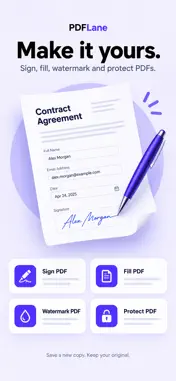
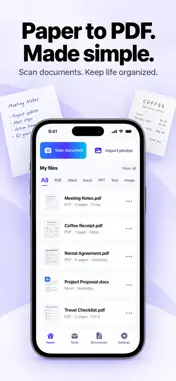
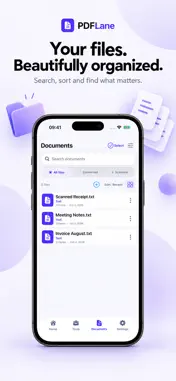
PDFLane is an all-in-one tool for document scanning, text recognition, PDF organization, and file conversion. It helps you turn paper documents into digital files and handle everyday document tasks. ### Scan and Create PDFs • Scan documents using your camera or import images from your photo library. • Combine multiple pages into a single PDF file. • Recognize text on scanned pages to assist with document processing and file naming. • Choose available output modes and quality options when creating PDFs. ### Convert PDF and Office Files • Convert between PDF and Word (DOCX), Excel (XLSX), and PowerPoint (PPTX). • PDF-to-Office conversion primarily relies on text extraction, recognition, and content reconstruction. Complex layouts, graphics, and formulas may not be preserved completely. • Please review the converted text, tables, and page layout, especially when converting scanned documents. • Office conversion supports DOCX, XLSX, and PPTX formats, but does not support legacy DOC, XLS, or PPT formats. • Conversion supports individual input files up to 50 MB. PDF-to-Office conversion supports PDFs with 1–60 pages that are not locked and allow content copying. ### Organize and Edit PDFs • Merge PDFs, split PDFs, or extract pages. • Reorder, rotate, duplicate, or delete pages. • Convert images to PDF or export PDF pages as images. • Add handwritten signatures, text, and text watermarks, and fill supported PDF forms. • Create password-protected copies of PDFs. • Compress PDF files. Compression converts pages into images and may affect clarity, searchable text, links, and forms. Please keep the original file. ### Manage and Share • View, search, and organize files in the document list. • Use the system sharing feature to send files to your chosen app or destination. ### Local Document Processing Document scanning, text recognition, and file conversion are performed locally on your device. When you actively share a file, it is transferred to the destination you select. For data processing related to third-party advertising and usage statistics, please refer to the Privacy Policy. ### Advertising PDFLane contains third-party advertising: • Native ad placements are provided on the home page and tool pages. • When the app launches or returns to the foreground from the background, an app-open ad may be shown when the display conditions are met. • After some document operations are completed, an interstitial ad may be shown when the display conditions are met. Actual ad display depends on network conditions, ad availability, privacy choices, and frequency limits. Ads will not necessarily appear every time the app is launched or an operation is performed. PDFLane helps you handle everyday document tasks, from scanning and conversion to organization and sharing.
What's New
Version 1.1 2026-10-22
• Faster document scanning • Improved PDF quality • Better text recognition • Bug fixes and performance improvements Technical Analysis
Package Overview Basic metadata
Bundle ID
com.pdflane.scanner.editor Current Version 1.1
Minimum iOS 15.0
Package Size App Store Size
Package Metadata 0 / 1 version records
Detailed binary, privacy manifest, framework, and Info.plist results have not been indexed for this package yet. The verified App Store and archive metadata above remains available.
Developer Information
Known Version Records
0 version records with stored package metadata • 1 known version records
Stored metadata does not guarantee a package is currently available to download.
| Details | Version / IDs | Version date | Action |
|---|---|---|---|
| Not archived | App Store ID: 885904740 | Unknown | Request Version |