
Preview




Description
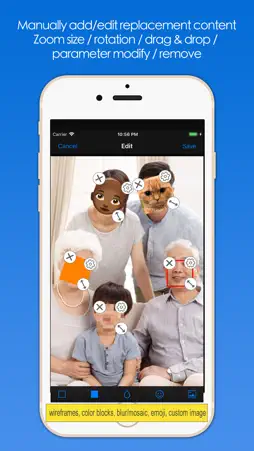
Sometimes, you take a lot of photos, you want to keep some of your privacy (without revealing your face), share them with your friends or social networks, and process them in batches and quickly, then "Batch Face Detect And Replace" The application will be well suited to your needs. "Batch Face Detect And Replace", the software automatically detects the faces in the image in batches, and then replaces or occludes the face according to the way you specify, such as mosaic blurred faces, emoticons to block faces, or the image you specify obscures the face, and so on. You can also add/edit replacements manually, and you can scale, rotate, drag and drop, parameter adjustments, and removes. The processed pictures can be saved to the system album, send mail, send messages, share to friends, transfer to computer, save to iCloud shared album, print, and so on. The software supports multiple system platforms of iOS/iPadOS/macOS. The software supports multiple languages, including: English, Simplified Chinese, Traditional Chinese, German, French, Portuguese, Spanish, Russian, Japanese, Italian (the new version will support more languages). The software can be downloaded for free, and we also offer a professional version of more advanced features, you can get a professional version through the subscription within the software. Automatic renewal professional version: -- Professional Edition Benefits: (1) All professional functions. (2) New professional and advanced features added in the new version. (3) You only need to purchase it once, and the software can be used in all platform versions of iPhone/iPad/macOS. -- Subscription period: 1 month (professional version of continuous monthly product), 6 months (professional version of continuous packaging for half a year), 12 months (professional version of continuous annual product). -- Subscription price: subject to IAP application information, such as $0.99 per month for consecutive monthly subscriptions and $5.49 per year for consecutive annual subscriptions. -- Payment: The user confirms the purchase and payment and then credits it to the iTunes account. -- Cancel Renewal: To cancel renewal, manually turn off auto-renew in iTunes/Apple ID Settings Management 24 hours before the current subscription period expires. -- Renewal: Apple's iTunes account will be charged within 24 hours before expiration. After the deduction is successful, the subscription period will be postponed for one subscription period. -- Privacy Policy: http://www.arwer.com/Software2/PrivacyPolicy.html -- Terms Of Service: http://www.arwer.com/Software2/TermsOfService.html
What's New
Version 2.5 2026-01-04
1. Adapted to the new system. 2. Added Italian. 3. Other minor changes and improvements. Technical Analysis
Package Overview Basic metadata
Bundle ID
com.arwer.BatchFaceDetectAndReplace Current Version 2.5
Minimum iOS 12.0
Package Size App Store Size
Package Metadata 0 / 9 version records
Detailed binary, privacy manifest, framework, and Info.plist results have not been indexed for this package yet. The verified App Store and archive metadata above remains available.
Known Version Records
0 version records with stored package metadata • 9 known version records
Stored metadata does not guarantee a package is currently available to download.
| Details | Version / IDs | Version date | Action |
|---|---|---|---|
| Not archived | App Store ID: 881172550 | Unknown | Request Version |
| Not archived | App Store ID: 874881140 | Unknown | Request Version |
| Not archived | App Store ID: 865703586 | Unknown | Request Version |
| Not archived | App Store ID: 864742742 | Unknown | Request Version |
| Not archived | App Store ID: 847449576 | Unknown | Request Version |
| Not archived | App Store ID: 837174238 | Unknown | Request Version |
| Not archived | App Store ID: 836890983 | Unknown | Request Version |
| Not archived | App Store ID: 831079748 | Unknown | Request Version |
| Not archived | App Store ID: 830339759 | Unknown | Request Version |