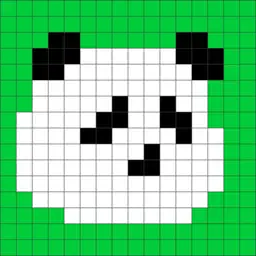
Preview


Description
Create pixel art with various pixel styles. Pixel Painter is an easy to use pixel art editor, with these main features: • Basic Tools: pencil tool, block tool, color bucket tool, selection tool, eyedropper tool, scroll tool. • Pixel Styles: apply a style to pixels when export, such as perler, circle, square. • Erase Mode: in this mode, pencil, block tool and color bucket tool are used to clear colors. • Selection: crop to selection, duplicate selected pixels, or remove selected pixels. • Scrollable Canvas: the canvas is scrollable, which allow you create repeatedly patterns more easier. • Color Palette: select a builtin color palette, then customize it if you like. • Downsample/Upsample pixels to get less/more pixels. If you have any questions, please contact me at email: [email protected]
What's New
Version 1.4 2025-06-10
Bug fixes. Technical Analysis
Package Overview Basic metadata
Bundle ID
com.zhangguangjian.pixelpainter Current Version 1.4
Minimum iOS 14.1
Package Size App Store Size
Package Metadata 0 / 6 version records
Detailed binary, privacy manifest, framework, and Info.plist results have not been indexed for this package yet. The verified App Store and archive metadata above remains available.
Developer Information
Known Version Records
0 version records with stored package metadata • 6 known version records
Stored metadata does not guarantee a package is currently available to download.
| Details | Version / IDs | Version date | Action |
|---|---|---|---|
| Not archived | App Store ID: 875422920 | Unknown | Request Version |
| Not archived | App Store ID: 843721525 | Unknown | Request Version |
| Not archived | App Store ID: 843698116 | Unknown | Request Version |
| Not archived | App Store ID: 843659003 | Unknown | Request Version |
| Not archived | App Store ID: 843622790 | Unknown | Request Version |
| Not archived | App Store ID: 843396737 | Unknown | Request Version |