Preview


Description
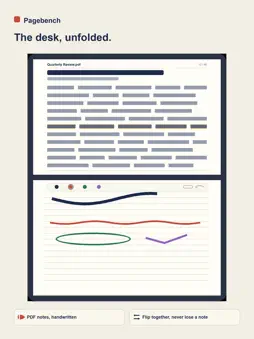
Open your PDF on one pane and a notebook appears on the other. That is the whole idea: read on one side, write on the other, and the two stay in step. Every note page is bound to a document page. Flip ahead and the matching note page is already waiting. Need to compare pages? Turn paired flipping off - a small badge keeps track of where your note lives, and one tap brings it back to the page you are on. The ink side behaves like paper. Strokes respond to Apple Pencil pressure. Four inks, three widths, a stroke eraser, unlimited-feeling undo. Ruled, dotted, or blank sheets. Palm down on the page draws nothing by default - only the pencil does. Everything else you would expect is here: bookmarks, last-read position for every document, ruled paper that exports well. The share button hands you the page and its notes as one full-resolution PNG. Documents up to 50 MB and 2,000 pages import from the Files app and stay on your device. There is no account, no subscription, no advertising, and no network permission - your library never leaves the phone.
What's New
Version 1.0.1 2026-11-15
Finger drawing is now on by default — open a document and start sketching immediately. Stability improvements. Technical Analysis
Package Overview Basic metadata
Bundle ID
com.kinet.duo.Pagebench Current Version 1.0.1
Minimum iOS 27.0
Package Size App Store Size
Package Metadata 0 / 0 version records
Detailed binary, privacy manifest, framework, and Info.plist results have not been indexed for this package yet. The verified App Store and archive metadata above remains available.
Known Version Records
0 version records with stored package metadata
Stored metadata does not guarantee a package is currently available to download.
| Details | Version / IDs | Version date | Action |
|---|