Preview





Description
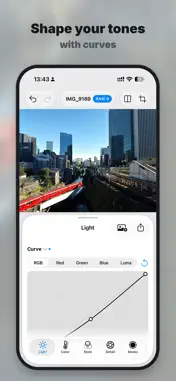
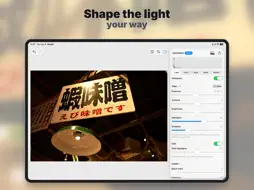
Make light, color and detail your own. Rawlit is a RAW photo editor for iPhone and iPad. Choose a RAW photo from Photos or Files and focus on editing one image at a time. NATURAL COLOR FROM THE START Every photo opens in the Natural Color Pipeline, with balanced color and film-like tones. Choose the Standard, Nature, Portrait or Product look, add Extra Contrast, Lighten or Saturated, switch to black and white with color filters, or add film grain. SHAPE LIGHT AND COLOR Adjust exposure, highlights, shadows and contrast, or start from Auto Tone. Set white balance with temperature, tint or the eyedropper, and fine-tune saturation and vibrance. Shape tones with levels and RGB, color-channel and luminance curves. With Color Mix, change the hue, saturation and luminance of eight colors, or pick a color right on the photo. CROP, STRAIGHTEN AND CORRECT PERSPECTIVE Crop freely or to a common aspect ratio, rotate, and straighten by hand or automatically. Correct vertical and horizontal perspective to bring converging lines back into line. REFINE SELECTED AREAS WITH MASKS Select the subject or individual people, tap to select an object, or use the sky, skin and hair masks in Apple ProRAW photos. Draw linear and radial gradients right on the photo. Add to or subtract from a selection, invert and feather it, and give each mask its own light, color and detail adjustments. BRING OUT DETAIL Sharpen, add clarity, reduce noise, apply lens correction and add a vignette that follows your crop. SEE EVERY CHANGE Check the live RGB histogram, compare your edit with the original, zoom to a true 100% view and look up the photo's capture details. Copy your edits and paste them onto the next photo. EXPORT AT FULL RESOLUTION Export at the full resolution of your edited photo, without additional downsizing. Choose 10-bit HEIC, JPEG or 16-bit TIFF for sharing or further editing, and leave out the location when you share. HDR HEIC is also available; availability and appearance depend on the system, photo and viewing device. EDIT ON YOUR DEVICE No account required. Photos are decoded and edited on your device. The system may download RAW decoding resources as needed, and Photos or Files providers may require network access. Export your finished photo to keep the result. RAW support depends on the file, camera model and system. Some features, such as object selection and lens correction, depend on the system, device and photo.
What's New
Version 1.1 2026-11-03
Fixed an issue where some RAW photos couldn't be opened correctly. Opening them may require access to your photo library. Technical Analysis
Package Overview Basic metadata
Bundle ID
dev.shisheng.Rawlit Current Version 1.1
Minimum iOS 17.0
Package Size App Store Size
Package Metadata 0 / 0 version records
Detailed binary, privacy manifest, framework, and Info.plist results have not been indexed for this package yet. The verified App Store and archive metadata above remains available.
Developer Information
Known Version Records
0 version records with stored package metadata
Stored metadata does not guarantee a package is currently available to download.
| Details | Version / IDs | Version date | Action |
|---|