
Preview






Description
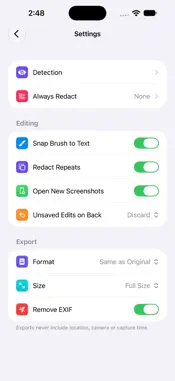
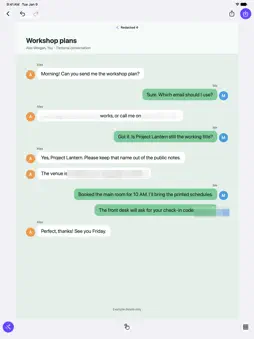
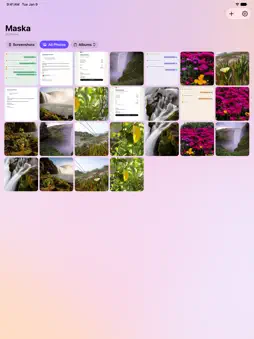
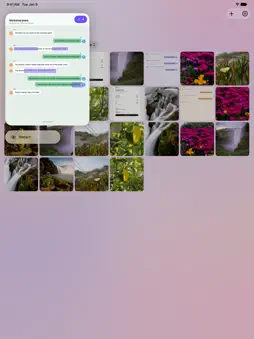
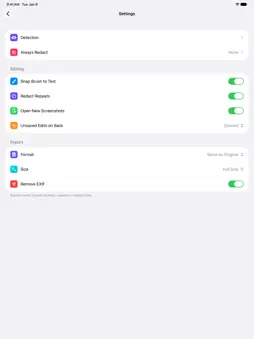
Share the conversation, not the private details. Maska helps you hide personal information in screenshots and photos on iPhone and iPad. Start with automatic detection, check what it found, and add your own redactions before you share. · Find private details Look for phone numbers, email and postal addresses, ID and bank card numbers in supported formats, faces, barcodes and more. Choose which categories to redact automatically, mark for review or leave alone. · Check before you share Open Review to inspect detected items and decide what to hide. Keep the useful parts of a conversation or order visible while covering the details you don't want to share. · Add your own redactions Use a brush or shape to cover extra details. Choose mosaic, blur or a solid color, adjust the coverage, and undo or redo as you work. · Handle repeated text Search the text recognized in the image for a word or phrase, then redact its matches together. Add custom terms you want Maska to look for, or use regular expressions for your own text patterns. · Save a redacted copy Save the edited image as a new copy or share it with another app. Remove EXIF metadata on export, or change that setting when you want to keep supported capture details, including location when present. Redactions are written into the exported image, not just placed over the editor preview. · Work on your device Text recognition, detection and redaction run on your device. Open an image from your library or use Redact with Maska from the share sheet. Detection results vary with the image, language and number format. Automatic detection can miss information or mark harmless details. Check the entire image and make any extra redactions before saving or sharing.
What's New
Version 1.1 2026-11-18
• Detect more private information, including birthdays, identity documents, bank accounts, passwords, account and device identifiers, and booking details. Detec...• Detect more private information, including birthdays, identity documents, bank accounts, passwords, account and device identifiers, and booking details. Detection settings are now grouped by category. • Improve recognition of labelled names and values, Japanese, Traditional Chinese and Korean labels, and faint chat avatars. Reduce false matches on harmless numbers. • Preserve small text in long screenshots and refine text masks to cover letters while keeping nearby content visible. • Use Smart Review to check for additional private text, or describe what you want to find with Smart Find. Preview suggestions and confirm what to redact. • Tap an object to select its outline and redact it. • Open an image for review from Shortcuts, with an optional description of what to find. • Choose a default save action and access save options from the Share menu. Smart Review and Smart Find require Apple Intelligence on a compatible device. Object selection requires iOS 27 or later. Technical Analysis
Package Overview Basic metadata
Bundle ID
dev.shisheng.Maska Current Version 1.1
Minimum iOS 18.0
Package Size App Store Size
Package Metadata 0 / 0 version records
Detailed binary, privacy manifest, framework, and Info.plist results have not been indexed for this package yet. The verified App Store and archive metadata above remains available.
Developer Information
Known Version Records
0 version records with stored package metadata
Stored metadata does not guarantee a package is currently available to download.
| Details | Version / IDs | Version date | Action |
|---|