
Preview



Description
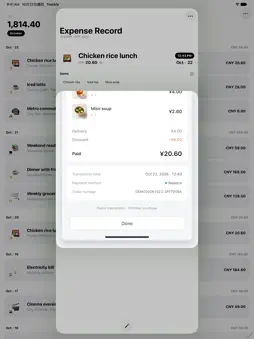
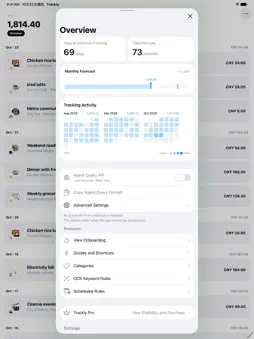
Your payment screen stays open. Your expense is already recorded. Run the Trackly shortcut from an order or payment screen. Your chosen AI service organizes the purchase time, amount paid, and details. Return to Trackly to find your spending arranged by date, with the original screenshots available to check. Record it while you pay Use an order detail or payment confirmation screen that shows both the purchase time and the final amount paid. Start with the Action button on supported iPhones, Apple Shortcuts, or photo recording on the home screen. On iOS 27, recognition and recording can run in the background, with progress shown in a Live Activity while your original screen stays open. The shortcut prioritizes up to five screenshots taken in the past minute. On iOS 26.1 or later, take the screenshots first and run the iOS 26 shortcut. Recognition and saving complete in Shortcuts or Trackly, depending on your AI service. Keep every expense within reach Browse expenses by date, check daily subtotals and the monthly total, and keep original screenshots, categories, and notes. After recording, check the time, amount, and category. Two things to set up Connect your own AI service, then install the Trackly shortcut for your iOS version. Use a supported AI account, API key, or Coding Plan. Usage allowances, service charges, and data handling depend on the provider and your settings. Recognition sends text and, when required by your model, images to your configured service. Start free, upgrade when needed The free version keeps up to 100 records. Trackly Pro is a one-time in-app purchase that removes the record limit and supports Family Sharing. Pro does not include an AI service or AI credits. Records and images are stored in the app database, with Apple CloudKit sync support. You manage photo, location, and notification permissions. Available in English, Simplified Chinese, and Traditional Chinese. Requires iOS 26.1 or later.
What's New
Version 1.1 2026-10-30
- iOS 27 Shortcut captures are now resumable: images and notes are retained, so if the Shortcut is interrupted or its result is lost, run it again, choose the u... Technical Analysis
Package Overview Basic metadata
Bundle ID
com.qoli.Trackly Current Version 1.1
Minimum iOS 26.1
Package Size App Store Size
Package Metadata 0 / 0 version records
Detailed binary, privacy manifest, framework, and Info.plist results have not been indexed for this package yet. The verified App Store and archive metadata above remains available.
Developer Information
Known Version Records
0 version records with stored package metadata
Stored metadata does not guarantee a package is currently available to download.
| Details | Version / IDs | Version date | Action |
|---|