
Preview


Description
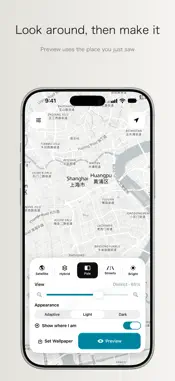
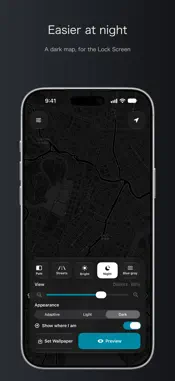
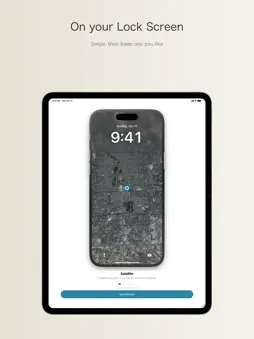
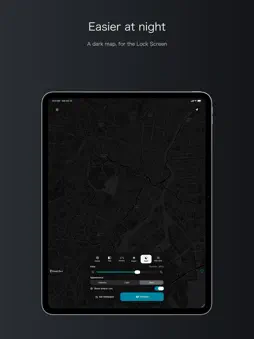
Mapora turns where you are into a Lock Screen wallpaper. Go somewhere new, and the wallpaper can change with you. Open the app and you see your current place. You can also drag and zoom to look around. When it looks right, tap Lock Screen Preview. The pin on the wallpaper is the place you were just looking at. You can choose Standard, Driving, Satellite, or Hybrid, plus Pale, Streets, Bright, Night, and Blue gray. Light and dark can be switched too. You choose where the pin sits on the picture. The preview leaves room for the clock, so the time and widgets stay easy to read. Two ways to put it on the Lock Screen: • Save it yourself: save to Photos from Preview, then use Set as Wallpaper and choose Lock Screen • Use Shortcuts: install the Shortcut we provide. It can make the picture in the background, without opening Mapora first, then use the system Set Wallpaper action If you change it often, add that Shortcut to a Personal Automation. For example: getting in the car, a morning time, leaving home, charging at night, or tapping the back of the phone. On iOS 27, you can also choose how often Mapora reminds you, and which hours should stay quiet. After the notification arrives, the automation changes the wallpaper. The Lock Screen has to be in Photo mode. If it is set to Astronomy, Weather, Emoji, or a collage, the system will not use this picture. Privacy: the wallpaper is made on your phone. There are no ads and no account, and usage data is not sent to other companies. Your location is not uploaded to a Mapora server. Standard, Driving, Satellite, and Hybrid come from Apple Maps. Pale, Streets, Bright, Night, and Blue gray come from OpenFreeMap.
What's New
Version 1.6 2026-10-20
The writing is plainer, so you can understand it at a glance. The layout now fits iPhone Duo. Technical Analysis
Package Overview Basic metadata
Bundle ID
fun.jiejing.mapora Current Version 1.6
Minimum iOS 17.0
Package Size App Store Size
Package Metadata 0 / 0 version records
Detailed binary, privacy manifest, framework, and Info.plist results have not been indexed for this package yet. The verified App Store and archive metadata above remains available.
Developer Information
Known Version Records
0 version records with stored package metadata
Stored metadata does not guarantee a package is currently available to download.
| Details | Version / IDs | Version date | Action |
|---|