
Preview




Description
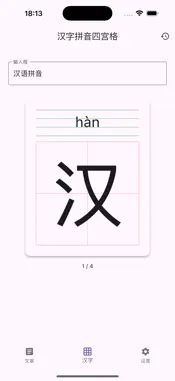
Unlock Effortless Chinese Reading with PinyinRead! Struggling with Chinese characters? Wish you had an easy way to see the Pinyin? PinyinRead is the simple, intuitive tool you need to read Chinese text with instant Pinyin support. Perfect for Learners and Parents: Instant Pinyin: Just paste or type your Chinese text, and PinyinRead automatically displays clear, accurate Pinyin with tone marks above each character. Toggle Visibility: Need to test your knowledge or prefer a cleaner view? Easily switch the Pinyin display on or off with a single tap. Customizable Comfort: Adjust the font size to find the perfect setting for comfortable reading on your device. Listen and Learn (New!): Added Text-to-Speech (TTS) feature. Hear articles read aloud to practice standard pronunciation and deepen your understanding. Secure Backup & Restore (New!): Easily create backups (Export) and restore (Import) your articles. Never lose your learning progress! Bilingual Interface (New!): The app interface is now available in both English and Simplified Chinese for your convenience. Ideal for Parents Teaching Kids: Make learning Chinese fun and accessible! PinyinReader is a fantastic companion for parents helping their children recognize characters, practice pronunciation, and build reading confidence together. Turn reading time into quality bonding time. Learner's Best Friend: Improve your reading speed, master pronunciation, and tackle challenging texts with greater ease. Simple & Focused: A clean, distraction-free interface keeps the focus on reading and understanding the content. How it Works: 1. Add your article or text (the first line automatically becomes the title). 2. Switch to view mode. 3. Tap the Pinyin toggle to show/hide annotations. 4. Use the font controls to adjust size. 5. Long-press a sentence to start TTS playback (Pinyin display must be enabled). 6. Tap the screen to hide/show the controls for an immersive reading experience. 7. Find the Backup and Restore options in the Settings page. Stop letting unfamiliar characters slow you down. Download PinyinReader today and make reading Chinese simple and enjoyable for learners of all ages!
What's New
Version 1.0.1 2025-05-04
Backup & Restore: You can now easily export (create backup) and import (restore) your articles via the Settings page. Keep your reading materials safe! Text-to-...Backup & Restore: You can now easily export (create backup) and import (restore) your articles via the Settings page. Keep your reading materials safe! Text-to-Speech (TTS): Listen to your articles read aloud! Long-press on a sentence in the reader view (with Pinyin enabled) to start playback. Controls are available in the bottom toolbar. Localization: The app interface now supports both English and Simplified Chinese (简体中文), automatically adapting to your device's language setting. Technical Analysis
Package Overview Basic metadata
Bundle ID
com.muzhuen.pinyinread Current Version 1.0.1
Minimum iOS 12.0
Package Size App Store Size
Package Metadata 0 / 2 version records
Detailed binary, privacy manifest, framework, and Info.plist results have not been indexed for this package yet. The verified App Store and archive metadata above remains available.
Known Version Records
0 version records with stored package metadata • 2 known version records
Stored metadata does not guarantee a package is currently available to download.
| Details | Version / IDs | Version date | Action |
|---|---|---|---|
| Not archived | App Store ID: 874499930 | Unknown | Request Version |
| Not archived | App Store ID: 874337121 | Unknown | Request Version |