
Preview








Description
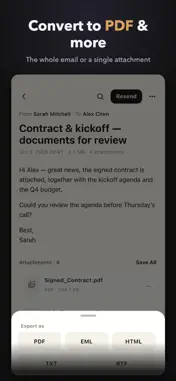
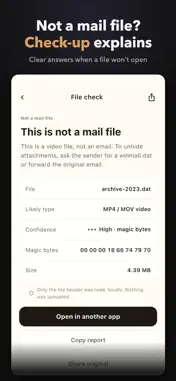
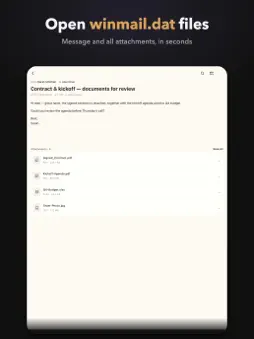
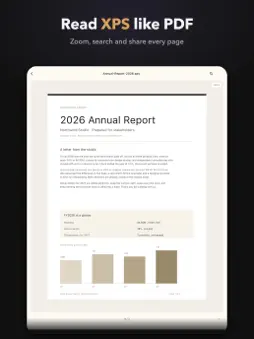
Received a "winmail.dat" you can't open? Winmail Reader unpacks it right on your iPhone — the message and every attachment, in seconds. Nothing is uploaded. WHAT IT OPENS • winmail.dat (TNEF) — Outlook's dreaded attachment wrapper, decoded fully • MSG & OFT — Outlook message and template files, read like normal email • EML & EMLX — Apple Mail and every mail client's format • MHT / MHTML — saved web pages and exported email threads • MBOX — Google Takeout, Thunderbird and server exports with thousands of messages • PST & OST — Outlook backups and offline folders, browsed folder by folder • OLM — Outlook for Mac archives • XPS & OXPS — Windows documents, read like PDFs All locally on your iPhone or iPad. No account, no uploads — your mail never leaves your device. HOW IT WORKS Open the file from Mail, Files or the share sheet. Within seconds you see the message and every attachment hidden inside: PDFs, Word, Excel and PowerPoint documents, images, calendar invites and contact cards. Every file you open is kept in a recent list, so the archives and messages you care about are one tap away. SAVE AND SHARE ATTACHMENTS Preview any attachment with Quick Look. Save one or all of them to Files, share, print or AirDrop. Calendar invites go straight to Calendar; contact cards to Contacts. CONVERT AND EXPORT Turn a whole email into PDF, EML, HTML or plain text. Export messages from any archive. Convert XPS documents to PDF. What you extract is yours — no watermarks, no limits. SEARCH EVERYTHING Full-text search inside an email. Full-text search across an entire mailbox archive — find the invoice in 2,000 messages in an instant. Where is that one message? Now you know. OUTLOOK BACKUPS, INTACT Open a PST or OST and browse the original folder tree — Inbox, Sent Items, everything — with every message exactly where Outlook left it. FILE CHECK-UP A file won't open? Instead of a dead end, the built-in check-up tells you what the file really is — a video, a document, an archive — and what to do next. How do I open this thing? You get a straight answer. RESEND AND MORE Forward the decoded email with all attachments. Add decoded calendar invites to Calendar. Save contact cards to Contacts. WHAT'S FREE Open every supported format and see what's inside: the sender, subject and first screen of any message, the attachment list, the folder tree of a mailbox archive with a preview of its first messages, and the first page of an XPS document. Check up on mystery files and keep a recent-files list. Free means "know what this file is and see what it holds" — nothing hidden, nothing uploaded. ONE-TIME PURCHASE Full reading of messages and XPS documents, attachment previews and extraction, full mailbox browsing across every folder, PDF and format exports, full-text search inside emails and across mailboxes, resending — unlocked with a single lifetime purchase. Pay once and it's yours for good. An optional monthly subscription is also available. No weekly limits. No account. PRIVATE BY DESIGN Decoding happens entirely on your device. Your files never leave your iPhone or iPad. No account. No uploads. QUESTIONS? Write to [email protected] — a real person answers. Restore your purchase anytime from Settings. Terms of Use: https://lababacy.com/winmail/terms/
Technical Analysis
Package Overview Basic metadata
Bundle ID
com.lababacy.winmail Current Version 1.0
Minimum iOS 17.0
Package Size App Store Size
Package Metadata 0 / 0 version records
Detailed binary, privacy manifest, framework, and Info.plist results have not been indexed for this package yet. The verified App Store and archive metadata above remains available.
Developer Information
Known Version Records
0 version records with stored package metadata
Stored metadata does not guarantee a package is currently available to download.
| Details | Version / IDs | Version date | Action |
|---|