
Preview






Description
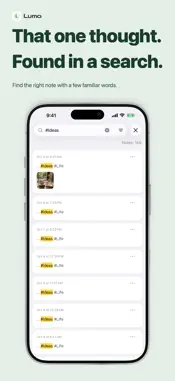
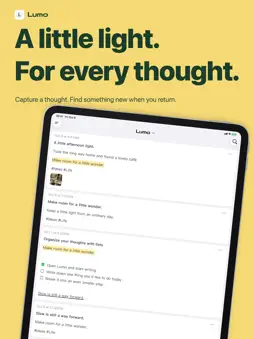
Give your thoughts a little light. A passing idea. A line from a book. Something small you want to remember. Lumo gives them a place to stay, so you can find them later and keep thinking. CAPTURE A THOUGHT Pull down on All Notes or tap "+" to start writing. Use bold text, highlights and lists to keep the important parts clear. Add a checklist for the small things you want to get done. KEEP PHOTOS AND WORDS TOGETHER Add photos to a note to remember the scene as well as the thought. Extract selected text from a book page or screenshot and bring it into your note, without typing it all again. FIND YOUR WAY BACK Search your notes by keyword or organize them with tags. Tap a date in the activity heatmap to revisit what you wrote that day. Pin notes you reach for often, and archive the ones you want to put aside. REVISIT WITH LUMO PRO Daily Review brings back a small selection of earlier notes. Random Walk lets you wander through your own writing and rediscover forgotten ideas. Linked annotations let you save a new thought alongside its source, then move between the original note and your later understanding. TAKE YOUR WORDS WITH YOU Turn a note into a paper-style share card, or export it as Markdown or HTML to keep working with it elsewhere. WRITE OFFLINE, CONTINUE ON ANOTHER DEVICE Create, edit and search notes on your device without an internet connection. With iCloud enabled and the same Apple Account, sync notes, photos and annotations between iPhone and iPad. START FREE Core note-taking is free, with no limit on the number of notes. Photos, search, image-to-text extraction, iCloud sync and export are included. Lumo Pro is an optional one-time purchase that permanently unlocks Daily Review, Random Walk, new linked annotations, additional sidebar colors and additional app icons. No subscription. The price is shown on the in-app purchase screen. Start with one small thought. Privacy Policy: https://github.com/tonys1987/Privacy-Policy/blob/main/lumo-legal/privacy.md Terms of Use: https://github.com/tonys1987/Privacy-Policy/blob/main/lumo-legal/EULA.md
What's New
Version 1.1 2026-10-27
This update makes reading and organizing your notes feel smoother. • New link preview cards show web content at a glance. Tap to browse without leaving the app....This update makes reading and organizing your notes feel smoother. • New link preview cards show web content at a glance. Tap to browse without leaving the app. • An improved reading preview opens with a page-turn animation when you double-tap a note, then smoothly returns to its original position when closed. • New animations for archiving and unarchiving make putting notes away and taking them out a little more satisfying. Technical Analysis
Package Overview Basic metadata
Bundle ID
com.markdown.QuickNote Current Version 1.1
Minimum iOS 17.0
Package Size App Store Size
Package Metadata 0 / 0 version records
Detailed binary, privacy manifest, framework, and Info.plist results have not been indexed for this package yet. The verified App Store and archive metadata above remains available.
Known Version Records
0 version records with stored package metadata
Stored metadata does not guarantee a package is currently available to download.
| Details | Version / IDs | Version date | Action |
|---|