
Preview


Description
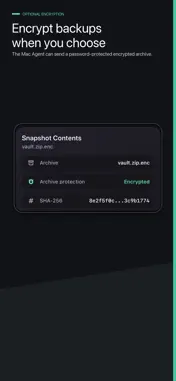
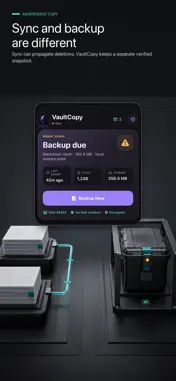
VaultCopy is a local-first backup tool for Markdown vaults. Pair your iPhone with VaultCopy Agent on Mac, then save verified backup snapshots directly to your iPhone over your local network. VaultCopy is designed for people who want an independent backup copy, not another cloud sync service. What VaultCopy does: - Creates a snapshot from a folder you choose on your Mac. - Transfers the backup directly from Mac to iPhone on your local network. - Saves recent verified snapshots locally on your iPhone. - Shows file count, archive size, SHA-256 verification, and backup health. - Lets you export a .vaultcopy restore package when you need to recover on Mac. - Supports password-protected encrypted archives when enabled in the Mac Agent. What VaultCopy does not do: - It does not provide cloud sync. - It does not upload your notes to VaultCopy servers. - It does not edit or replace your current vault from iPhone. - It does not require Git, S3, WebDAV, or a hosted database. VaultCopy requires the companion Mac Agent to create snapshots and complete backups.
What's New
Version 1.0.1 2026-07-14
A clearer backup dashboard, a smoother animated change check, and improved layout across compact iPhone and iPad compatibility views. Backup, restore, encryptio...A clearer backup dashboard, a smoother animated change check, and improved layout across compact iPhone and iPad compatibility views. Backup, restore, encryption, and purchase behavior are unchanged. Technical Analysis
Package Overview Basic metadata
Bundle ID
com.vaultcopy.ios Current Version 1.0.1
Minimum iOS 17.0
Package Size App Store Size
Package Metadata 0 / 0 version records
Detailed binary, privacy manifest, framework, and Info.plist results have not been indexed for this package yet. The verified App Store and archive metadata above remains available.
Developer Information
Known Version Records
0 version records with stored package metadata
Stored metadata does not guarantee a package is currently available to download.
| Details | Version / IDs | Version date | Action |
|---|