
Preview



Description
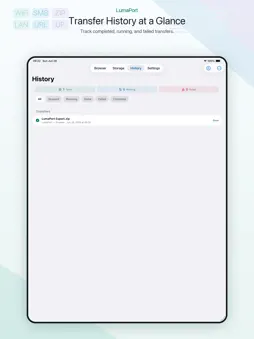
FileDrop turns your iPhone into a private transfer port for photos, videos, and files. Need to move a large video to a computer? Start Browser Transfer, open the local address in a browser on the same Wi-Fi, and download from a clean web page. No desktop app, no cloud account, no cables. For private storage, connect your own WebDAV, SFTP, or SMB target and send selected items to NAS, Nextcloud, private servers, or shared folders. You can also browse remote folders and download files back to your iPhone. What you can do: • Share iPhone photos, videos, and files through a temporary browser page • Download single files or batch ZIP files from a browser on your local Wi-Fi • Upload to WebDAV, SFTP, and SMB storage targets • Download remote photos and videos to Photos • Save other remote files to On My iPhone • Track completed, failed, and running transfers • Protect browser access with a one-time code FileDrop is designed for local and private transfers. Your files are not sent to our servers, and there are no ads.
What's New
Version 2.0 2026-07-18
1. Fixed some issues. Technical Analysis
Package Overview Basic metadata
Bundle ID
com.twofools.clipport Current Version 2.0
Minimum iOS 15.0
Package Size App Store Size
Package Metadata 1 / 2 version records
Detailed binary, privacy manifest, framework, and Info.plist results have not been indexed for this package yet. The verified App Store and archive metadata above remains available.
Developer Information
Known Version Records
1 version record with stored package metadata • 2 known version records
Stored metadata does not guarantee a package is currently available to download.
| Details | Version / IDs | Version date | Action |
|---|---|---|---|
| 4.25 MB | v2.0 App Store ID: 888479448Build: 2.0 | 2026-07-18 22:15:36 | Get Version |
| Not archived | App Store ID: 887398255 | Unknown | Request Version |