
Preview







Description
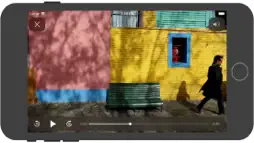
IPTV fast is a complete user defined IPTV solutions for live and non-live TV/stream. Support M3U playlist formats, TXT playlist formats. If you ever want to play M3U streams, if you need player supporting these live or non-live streams, the IPTV fast is a solution for these requirements. - Built-in powerful player, No need to look for third party player to support these formats. - Support Local M3U and TXT playlists, user can add playlists to their device via iTunes's file sharing function (connecting their device to iTunes, then add playlists to its file sharing document). - Support Remote playlists, user can add their http remote playlists. Features - Support m3u8 TV/Radio live or non-live stream, you can custom your own TV/Radio channel. - Support TXT and M3U playlist. - Support media formats such as m3u8, mp4, mp3. . . . . . - Download Remote playlists to Local. - Support My Favorites. How it works? 1. Make your own playlist 1A. Make your own TXT playlist Name your playlist as xxx.txt, then edit and save your file in format as below: TV or Radio Channel,Media Source Link One line one TV or Radio channel (do not forget The comma) For example: (line 1) TV 1,http://streamer.oodlz.it/hls/livestream.m3u8 (line 2) TV 2,http://stream.1music.hu/stream/1music.m3u8 (line 3) Radio 1,http://icestreaming.rai.it/1.mp3 etc. . . . . . (Save your xxx.txt file as UTF-8) 1B. Make your own M3U playlist (format 1) Name your playlist as xxx.txt, then edit and save your file in format as below: #EXTM3U #EXTINF:-1 tvg-logo=”sample.png” group-title=”No group”,Channel 1 Channel 1,https://edge.music-choice-play-chaina/play/chunklist.m3u8 #EXTINF:-1 tvg-logo=”sample.png” group-title=”No group”,Channel 2 Channel 2,https://nhkworld.webcdn.stream.ne.jp/live_wa_s.m3u8 #EXTINF:-1 tvg-logo=”sample.png” group-title=”No group”,Channel 3 Channel 3,http://77.89.199.174:81/hls/live2.m3u8 etc. . . . . . Save your xxx.txt file as UTF-8 format, then change its extension from xxx.txt to xxx.m3u. 1C. Make your own M3U playlist (format 2) Name your playlist as xxx.txt, then edit and save your file in format as below: #EXTM3U #EXTINF:-1 tvg-logo=”sample.png” group-title=”No group”,Channel 1 https://edge.music-choice-play-chaina/play/chunklist.m3u8 #EXTINF:-1 tvg-logo=”sample.png” group-title=”No group”,Channel 2 https://nhkworld.webcdn.stream.ne.jp/live_wa_s.m3u8 #EXTINF:-1 tvg-logo=”sample.png” group-title=”No group”,Channel 3 http://77.89.199.174:81/hls/live2.m3u8 etc. . . . . . Save your xxx.txt file as UTF-8 format, then change its extension from xxx.txt to xxx.m3u. 2. Add your xxx.txt or xxx.m3u file to your device 2A. Add local playlists to your device First, connecting your device t your computer, (1) If your macOS is earlier than Catalina, Open iTunes, click file sharing find the IPTV fast, add your playlist to its file share document. (2) If your macOS is Catalina or Big Sur or later, use Finder, you can drag your playlist to IPTV fast's file share document. 2B. Download remote playlist First, upload your playlist the a website, get its download url, If all this done, open IPTV fast, enter your playlist download url, press download. 3. Relax and watch your favorite shows on your device DISCLAIMER - IPTV fast does not supply or include any media or content. - IPTV fast has no affiliation with any third-party provider what so ever. - Users must provide their own contents. - I do not endorse the streaming of copyright protected material without permission of the copyright holder.
What's New
Version 22.0 2026-01-07
Update for GoogleMobileAdsSdk. Technical Analysis
Package Overview Basic metadata
Bundle ID
com.yutianjian.IPTV-fast Current Version 22.0
Minimum iOS 14.1
Package Size App Store Size
Package Metadata 2 / 20 version records
Detailed binary, privacy manifest, framework, and Info.plist results have not been indexed for this package yet. The verified App Store and archive metadata above remains available.
Known Version Records
2 version records with stored package metadata • 20 known version records
Stored metadata does not guarantee a package is currently available to download.
| Details | Version / IDs | Version date | Action |
|---|---|---|---|
 4.53 MB | v22.0 App Store ID: 880785981Build: 22 | 2025-12-28 08:53:26 | Get Version |
 3.82 MB | v21.0 App Store ID: 871479406Build: 21 | 2025-01-19 15:02:02 | Get Version |
| Not archived | App Store ID: 862624925 | Unknown | Request Version |
| Not archived | App Store ID: 854182216 | Unknown | Request Version |
| Not archived | App Store ID: 844278364 | Unknown | Request Version |
| Not archived | App Store ID: 844221209 | Unknown | Request Version |
| Not archived | App Store ID: 844053264 | Unknown | Request Version |
| Not archived | App Store ID: 843739718 | Unknown | Request Version |
| Not archived | App Store ID: 843717008 | Unknown | Request Version |
| Not archived | App Store ID: 843584876 | Unknown | Request Version |
| Not archived | App Store ID: 843496000 | Unknown | Request Version |
| Not archived | App Store ID: 839601375 | Unknown | Request Version |
| Not archived | App Store ID: 839413322 | Unknown | Request Version |
| Not archived | App Store ID: 839341767 | Unknown | Request Version |
| Not archived | App Store ID: 839270704 | Unknown | Request Version |
| Not archived | App Store ID: 839241559 | Unknown | Request Version |
| Not archived | App Store ID: 835733232 | Unknown | Request Version |
| Not archived | App Store ID: 835319652 | Unknown | Request Version |
| Not archived | App Store ID: 829493473 | Unknown | Request Version |
| Not archived | App Store ID: 829235197 | Unknown | Request Version |